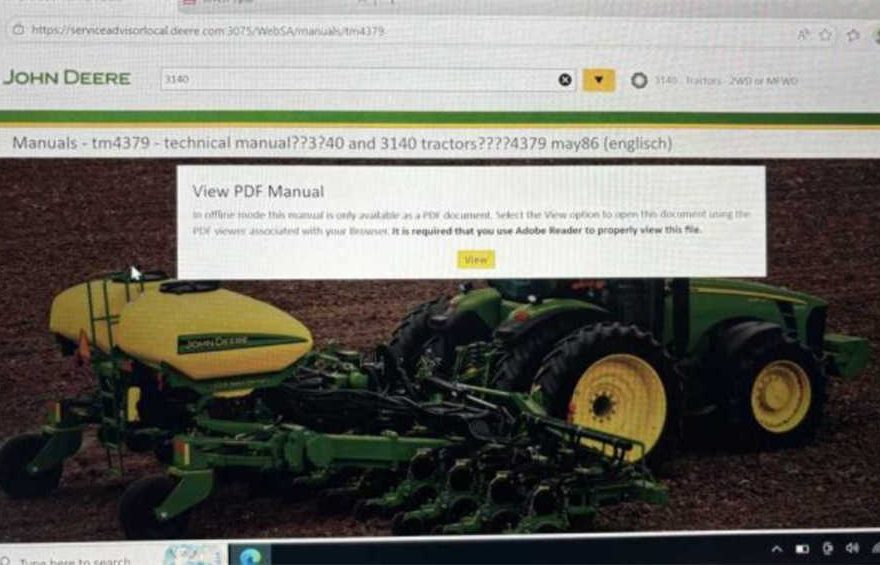
Problem Description
A user reported the following issue:
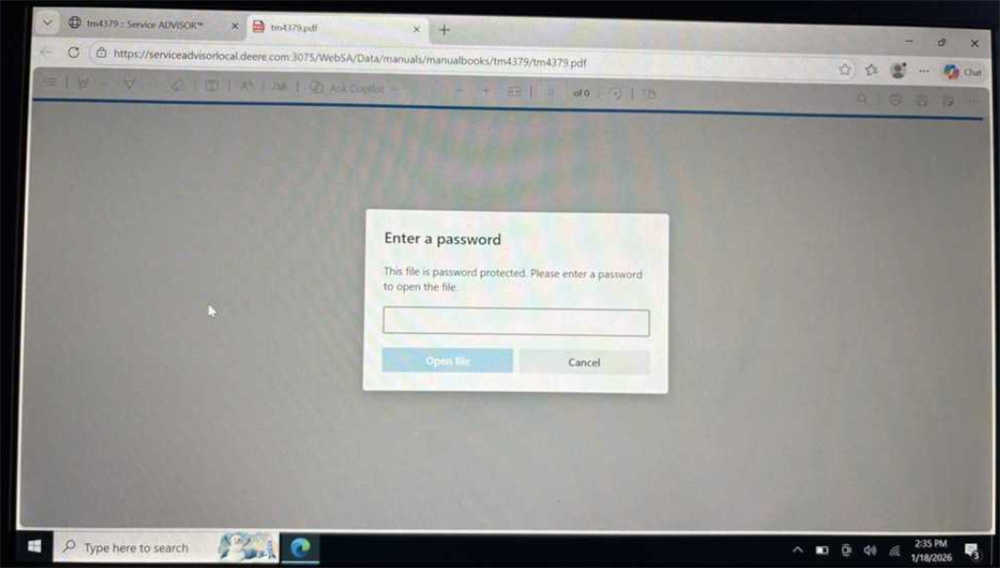
Hello, I have installed it on my computer and unable to get the program to run. If I try to open a PDF manual for the older equipment it is wanting a password, saying it is password protected. What do I need to do to get the PDF manuals to open.Thanks for any help you can provide.
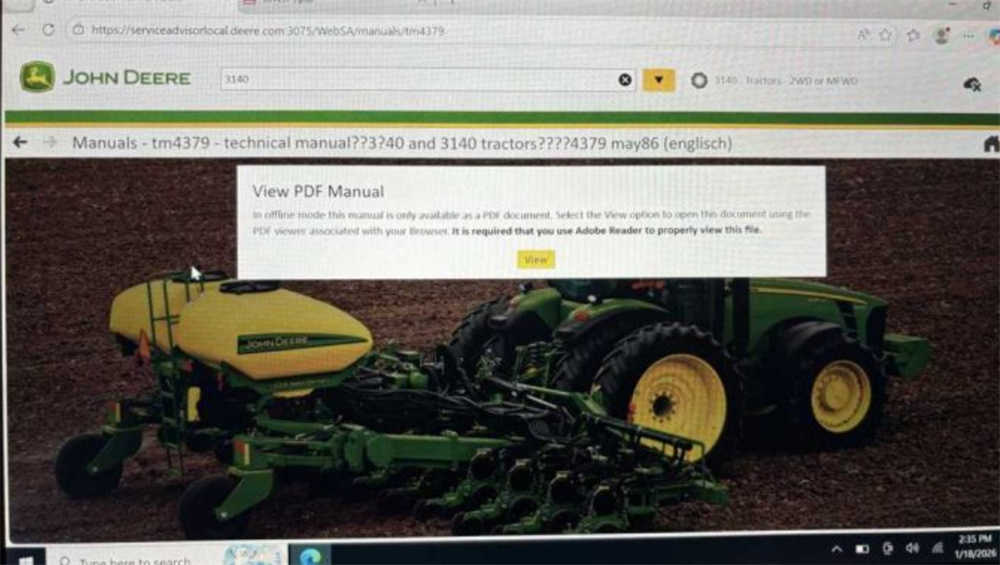
Cause of the Problem
The password prompt usually appears because the webpage used to display the PDF manuals is not compatible with the current browser mode.
John Deere Service Advisor was originally designed to work with Internet Explorer (IE). If the software runs in a different browser mode, the system may incorrectly display the PDF manuals as password protected.
Solution: Enable Internet Explorer Compatibility Mode
To resolve this issue, you need to add the Service Advisor webpage to Internet Explorer (IE) compatibility mode.
Steps to Fix the Issue
- Open the browser used by John Deere Service Advisor.
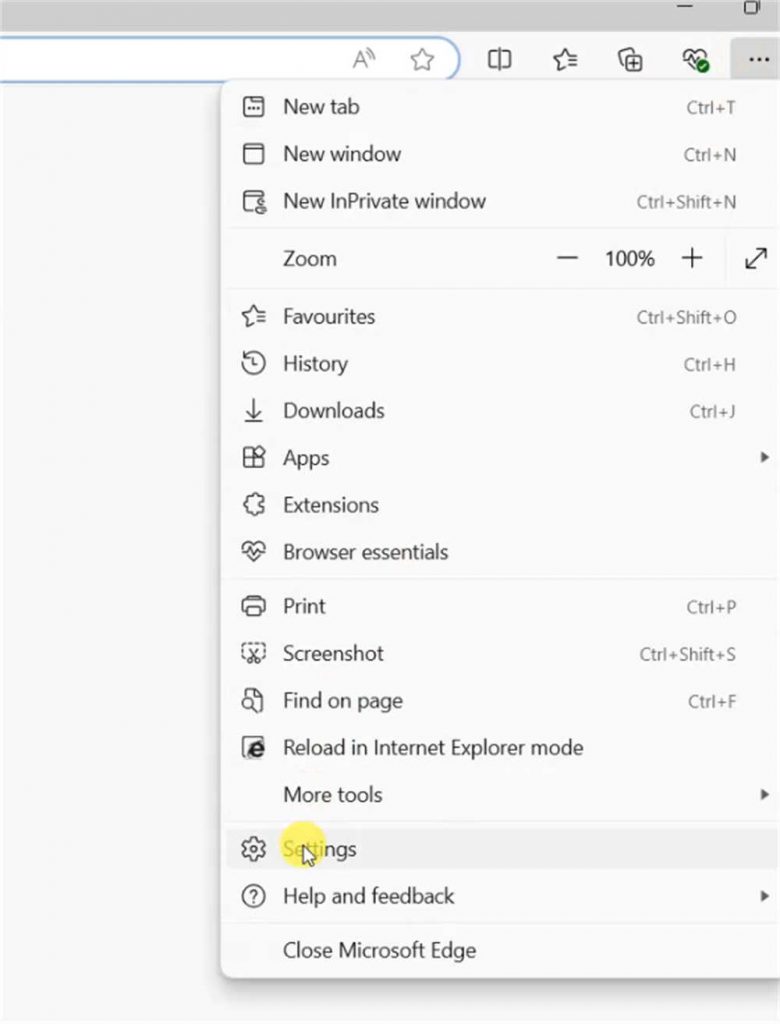
- Go to the browser settings menu.
- Locate Compatibility View Settings or IE Mode settings.
- Add the Service Advisor webpage address to the compatibility list.
- Restart the browser or the Service Advisor program.
- Try opening the PDF manual again.
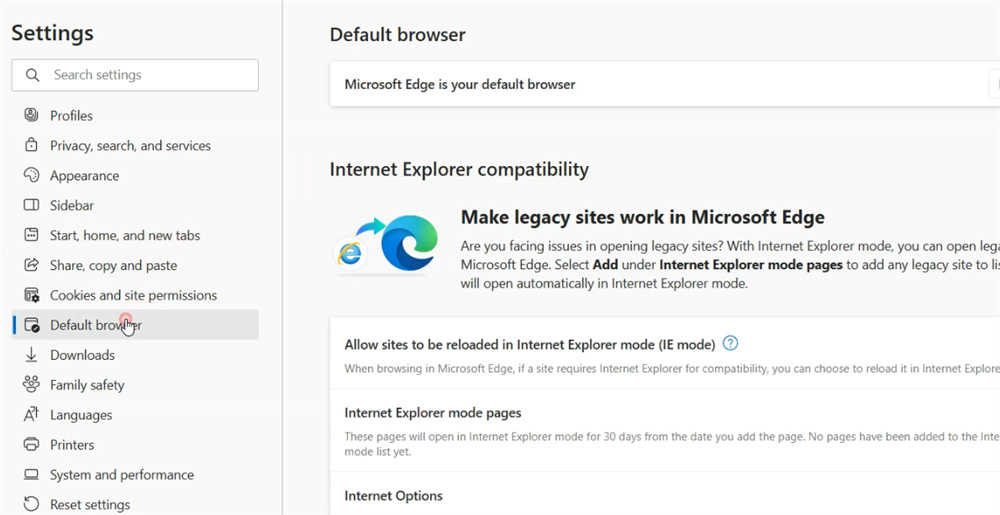
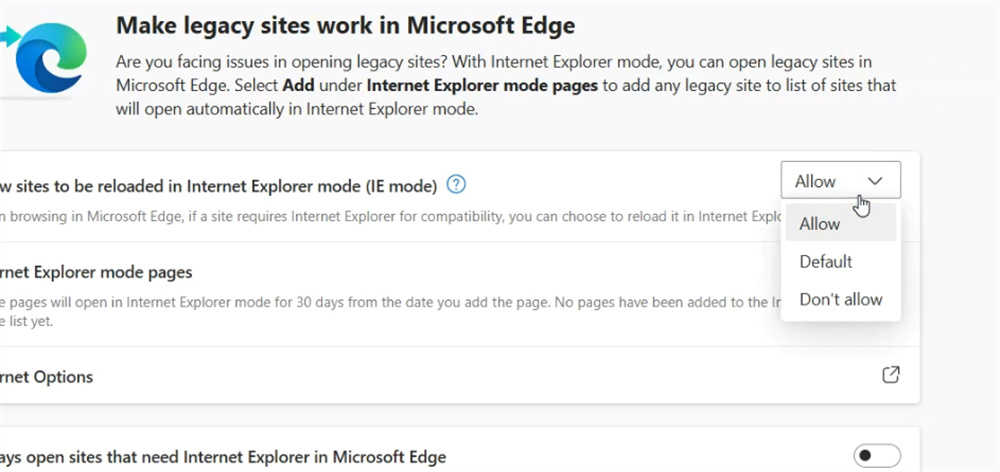
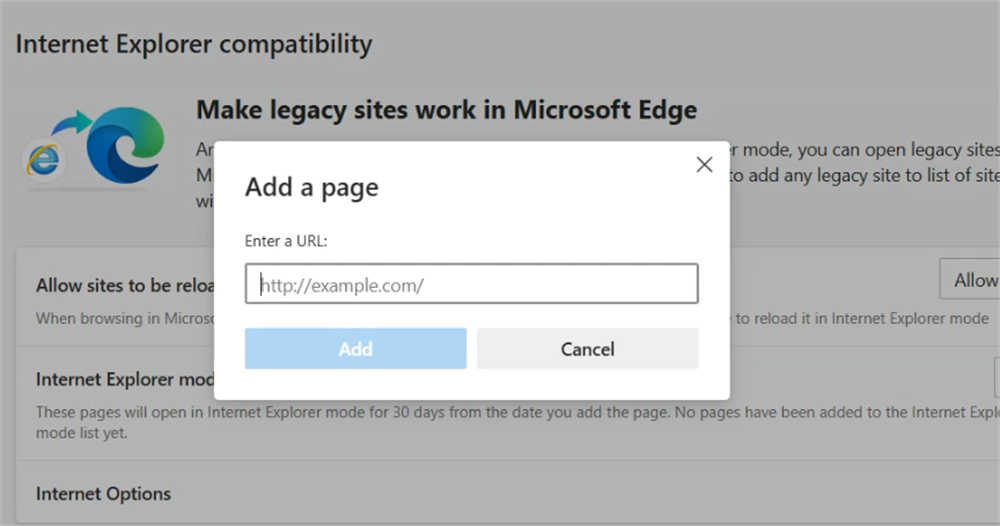
After enabling IE compatibility mode, the manuals should open normally without asking for a password.
Additional Tips
- Make sure the Service Advisor software is installed correctly.
- Use Internet Explorer mode in Microsoft Edge if IE is not available.
- Restart the computer if the problem persists.
Conclusion
If your John Deere Service Advisor PDF manuals require a password, the issue is typically related to browser compatibility rather than document security. Enabling Internet Explorer compatibility mode usually resolves the problem and allows the manuals to open normally.
FAQ
1. Why does the John Deere Service Advisor PDF manual ask for a password?
The password prompt usually appears because of a browser compatibility issue. John Deere Service Advisor was originally designed to work with Internet Explorer. When the manual is opened in a different browser mode, the system may incorrectly show the PDF as password protected.
2. How can I fix the John Deere Service Advisor PDF password problem?
You can fix this issue by enabling Internet Explorer compatibility mode. Add the Service Advisor webpage to the IE compatibility list or open it using Microsoft Edge IE Mode.
3. Do I need the password to open John Deere Service Advisor manuals?
In most cases, no password is actually required. Once the webpage is running in Internet Explorer compatibility mode, the PDF manuals should open normally without asking for a password.
4. Can I run John Deere Service Advisor on Microsoft Edge?
Yes. Since Internet Explorer has been discontinued, you can run Service Advisor using Microsoft Edge with Internet Explorer Mode enabled, which provides compatibility for older web-based systems.
5. What should I do if the manuals still require a password?
If the problem persists, restart the browser, verify that the website is added to the compatibility list, and ensure that the Service Advisor software installation is complete and functioning properly.