Customer Question
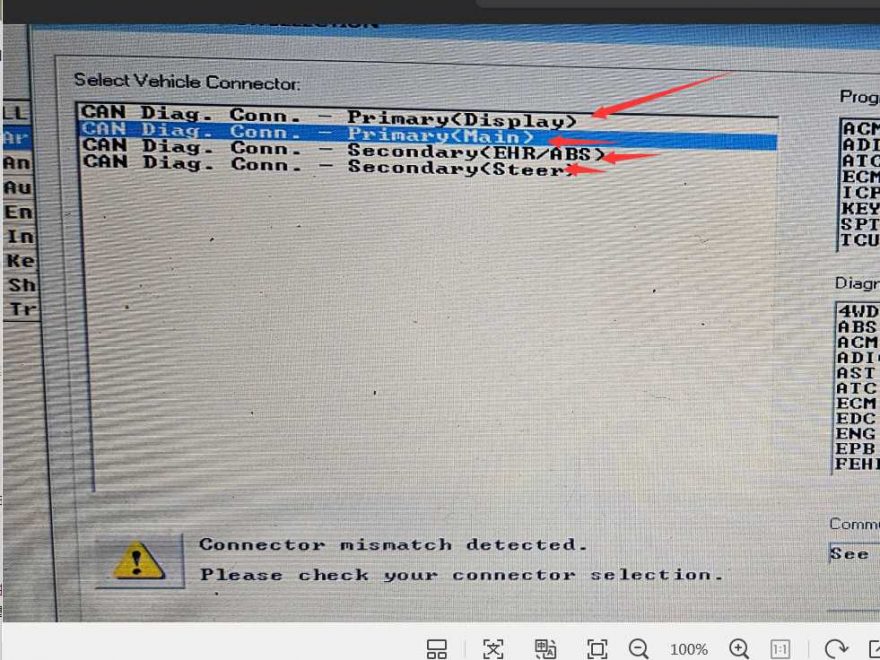
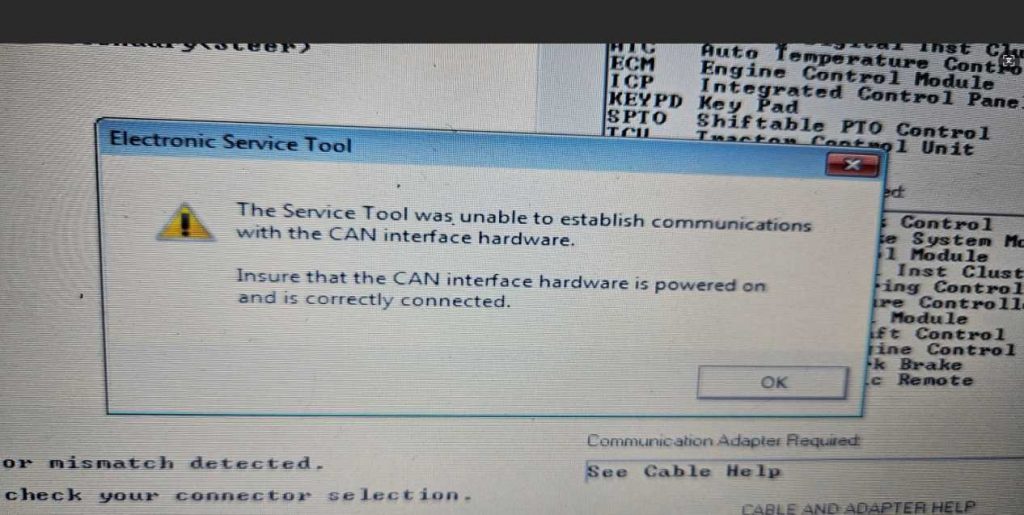
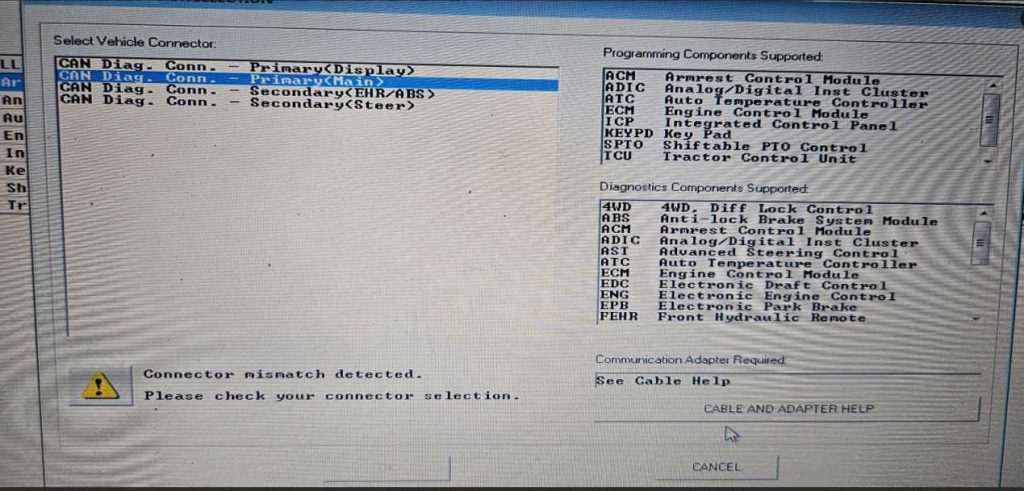
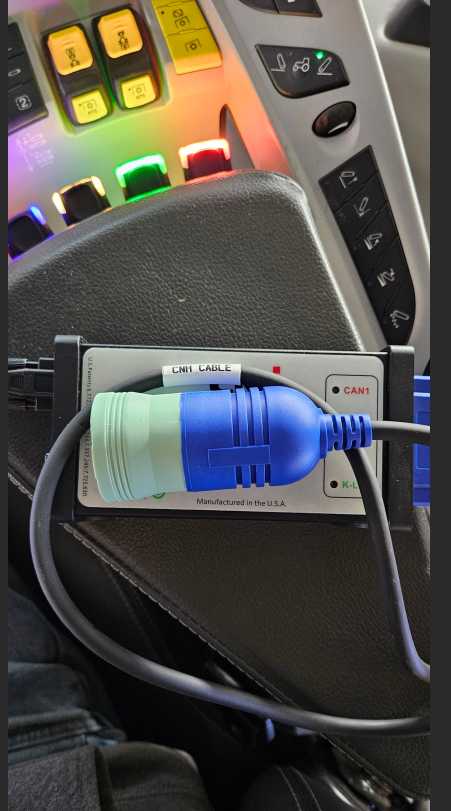
“I’m having trouble connecting my CNH EST service tool to my New Holland T7.315 tractor. It shows a connector mismatch error. I’ve attached pictures of the error screen, the adapter, and the cables I’m using.”
Based on the information and images provided, the issue is not related to the tractor itself, but rather to communication protocol and interface requirements for this model.
OBD2.LTD Engineer Answer:
The “connector mismatch” error on a New Holland T7.315 usually occurs because this high-horsepower model requires specific 2026-standard protocols (CAN BUS) and hardware that may not be present in generic or older diagnostic kits.
1. Verify Hardware and Adapter
The Required Interface: For a T7.315, you typically need the CNH DPA 5 (Dearborn Protocol Adapter) interface. Generic OBDII readers often fail because they cannot communicate with the tractor’s advanced CAN network.
The Connector Pinout: Ensure you are using the correct adapter cable for the 9-pin or 16-pin diagnostic port, which is usually located under the dashboard or near the fuse box.
Adapter Cable: Verify you are using the SRV12 EST adapter cable if connecting to a PC, as it is the standard for current New Holland service tools.
2. Software Configuration
Application Version: Ensure your Electronic Service Tool (EST) software is updated to the latest version (v9.13 or higher is recommended for 2025/2026 models).
Protocol Selection: Within the EST settings, ensure the communication protocol is set to CAN BUS rather than K-Line, as the T7.315 relies heavily on CAN for its Auto Command transmission and engine diagnostics.
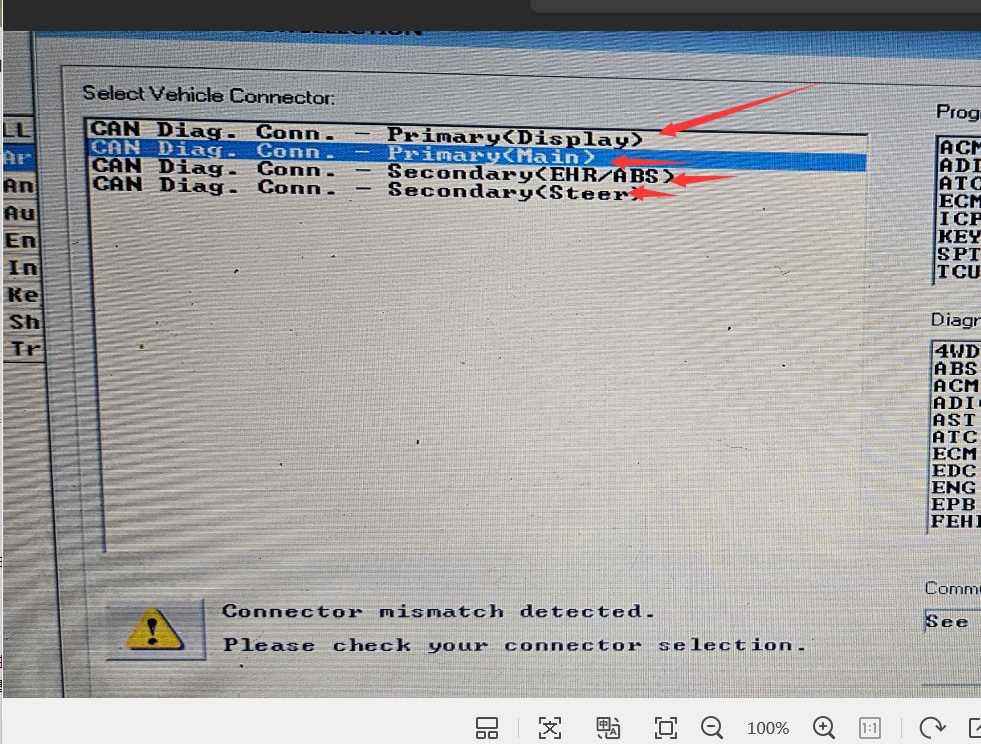
3. Connection Troubleshooting
Power Supply: Check the 7.5A or 10A fuse in the engine bay or primary fuse panel related to the diagnostic port. A blown fuse often presents as a “mismatch” or “link error” because the tool cannot detect voltage from the tractor.
Ignition State: The ignition must be in the ON position, but the engine should not be running for initial tool handshake.
Pin Inspection: Inspect the diagnostic port for corroded or pushed-back pins. If a single pin (especially the CAN high/low pins) is not making contact, the tool will report a mismatch.
Need Help Choosing the Right CNH Diagnostic Tool?
https://www.obd2.ltd/goods-153-Best-wiTech-MicroPod-2-Chrysler-Diagnostic-Tool.html
If you are unsure whether your diagnostic interface or EST version is compatible with your New Holland, Case IH, or CNH equipment, our technical team can help.
Email: sales@obd2.ltd