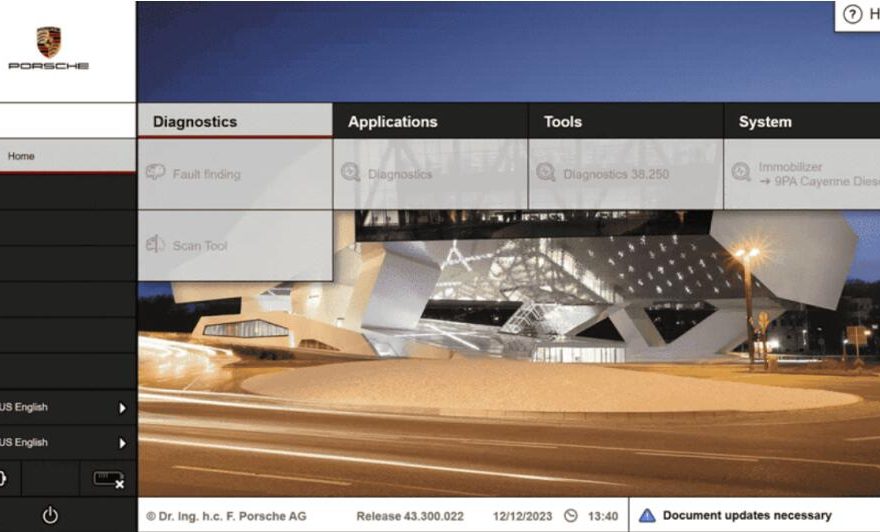
When it comes to maintaining the exceptional performance of Porsche vehicles, having the right Porsche diagnostic tools is crucial. Porsche, known for its high-end engineering and luxury, requires precision tools to ensure any diagnostic or maintenance task meets the brand’s high standards. This comprehensive guide dives deep into the world of Porsche diagnostic tools, their benefits, and how they simplify servicing Porsche vehicles.
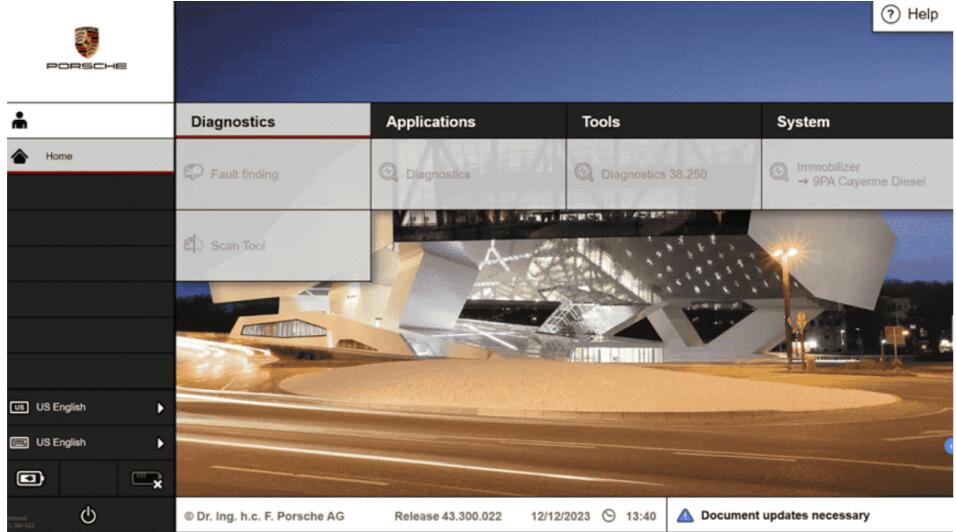
Understanding Porsche Diagnostics: Why It Matters
Porsche vehicles are engineered with intricate systems that integrate advanced technologies. From high-performance engines to innovative infotainment systems, diagnosing issues without specialized tools is challenging. Diagnostic tools for Porsche are essential for:
- Identifying faults accurately.
- Accessing and interpreting error codes.
- Performing system resets and updates.
- Ensuring compliance with Porsche’s service standards.
With the right tools, mechanics can maintain the reliability and luxury owners expect.
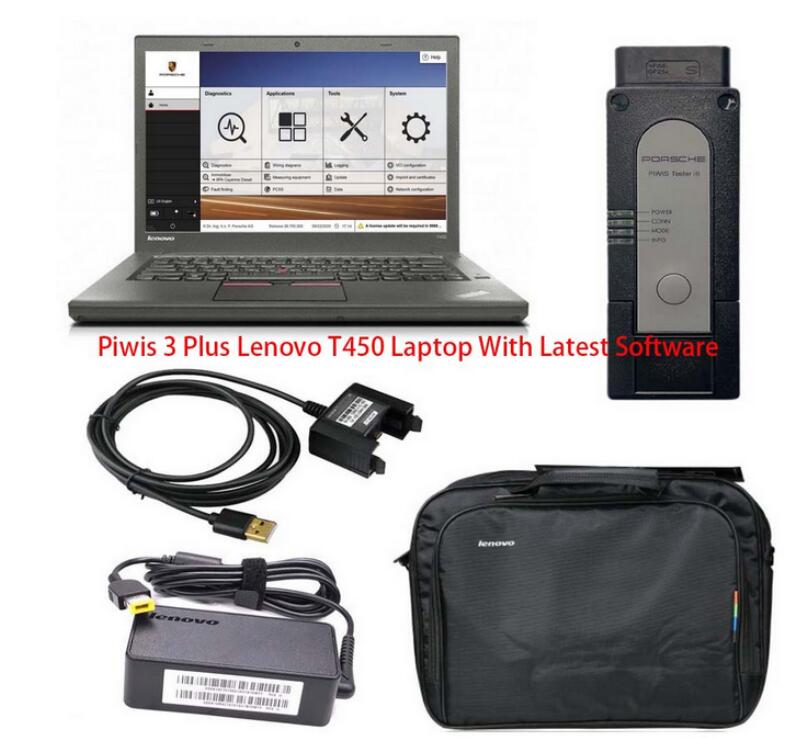
Porsche PIWIS 3 Tester, The Best For Porsche Diagnostics
The Porsche Integrated Workshop Information System (PIWIS) tester is the gold standard for diagnostics. This tool is specifically designed for vehicles, providing unparalleled access to:
- Control unit adaptations.
- Advanced fault code readings.
- Calibration of sensors and actuators.
- Software updates and module programming.
PIWIS testers are essential for workshops specializing in maintenance.
Porsche PIWIS 3
The PIWIS 3 (Porsche Integrated Workshop Information System 3) is the third-generation diagnostic and programming tool specifically designed for Porsche vehicles. It is used by authorized Porsche service centers and independent automotive repair shops for diagnosing, coding, and programming Porsche vehicles. This advanced diagnostic system ensures that Porsche vehicles are properly maintained and repaired using factory-standard tools and protocols.
Key Features of PIWIS 3:
1. New operating system and more intuitive software interface
2. New VCI, support for models with DoIP diagnostics after 2017
3. Maintenance, repair, control unit replacement, programming code
4. Login online anti-theft matching programming
5. Guided fault finding
6. Maintenance circuit diagram view
7. Engineer mode (development version) can support special functions such as installing, modify, Flash.
Advantages of PIWIS 3:
- Factory-Grade Precision: Ensures repairs and diagnostics meet Porsche standards.
- Time-Saving: Streamlined workflows for professional technicians.
- Future-Proof: Keeps up with the evolving technology in Porsche vehicles.
Who Uses PIWIS 3?
- Porsche dealerships and certified service centers.
- Independent workshops specializing in Porsche repairs.
- Automotive enthusiasts who work on the vehicles and require advanced tools.
Steps to Connect PIWIS 3 Tester to Your Porsche
1. Prepare the Vehicle
- Turn the car ignition to the ONposition, but do not start the engine.
- Ensure all electrical systems (lights, air conditioning, etc.) are turned off to reduce power consumption.
- For newer models with a keyless system, press the Start/Stopbutton without pressing the brake pedal.
2. Connect the VCI to the Vehicle
- Locate the OBD-II portin your car.
- This is usually under the dashboard, near the driver’s side footwell.
- Plug one end of the OBD-II cable into the car’s OBD-II port and the other end into the VCI device.
3. Connect the VCI to the PIWIS 3 Tester on your laptop or tablet
Use the provided USB or wireless connection to link the VCI to the PIWIS 3 Tester device (laptop or tablet).
For USB connection: Plug the USB cable into your PIWIS Tester.
For wireless connection: Ensure the tester is paired with the VCI
4. Launch the PIWIS 3 Software
Open the PIWIS 3 software on your tester.
Wait for the software to detect the connected VCI device and establish communication with the vehicle.
5. Establish a Connection with the Vehicle
The PIWIS 3 software will automatically detect the model and VIN (Vehicle Identification Number).
If not, manually select your model and year from the software interface.
6. Perform Diagnostics or Programming
Use the menu options in the software to perform tasks like:
Reading and clearing fault codes.
Performing system tests.
Programming and coding control units.
Running service functions (e.g., resetting maintenance reminders).
7. Complete the Session
After completing your diagnostics or programming tasks, turn off the ignition.
Disconnect the VCI from the OBD-II port.
Close the PIWIS 3 software.
Tips for a Successful Connection
Keep the Battery Charged: If you expect the process to take a long time, connect the car to a battery charger to avoid power loss during diagnostics or programming.
Udate the Software: Ensure that the PIWIS 3 software and firmware on the VCI are up to date for compatibility with the latest Porsche models.
Follow Safety Protocols: Avoid disconnecting the VCI or turning off the ignition during programming to prevent damage to the ECUs.
Common Issues Diagnosed with Porsche Tools
Diagnostic tools can identify a wide range of issues, including:
Engine performance problems.
Transmission faults.
Brake system malfunctions.
Electrical and wiring issues.
Infotainment system errors.
Early detection of these problems ensures timely repairs, preserving the vehicle’s performance and value.