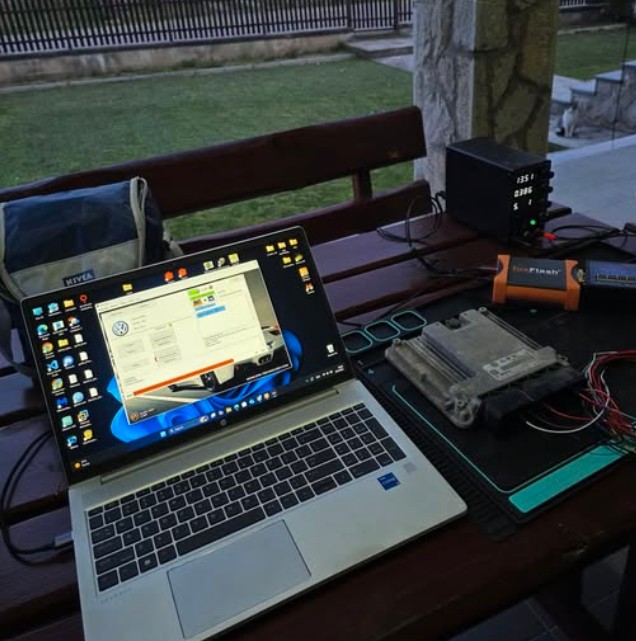
FoxFlash is an ECU and TCU programming tool designed to read, write, back up, and recover automotive control units through OBD, bench, boot, BDM, and JTAG connections.
A frequent question from technicians is:
Is there a complete list of ECUs that have been successfully tested with FoxFlash?
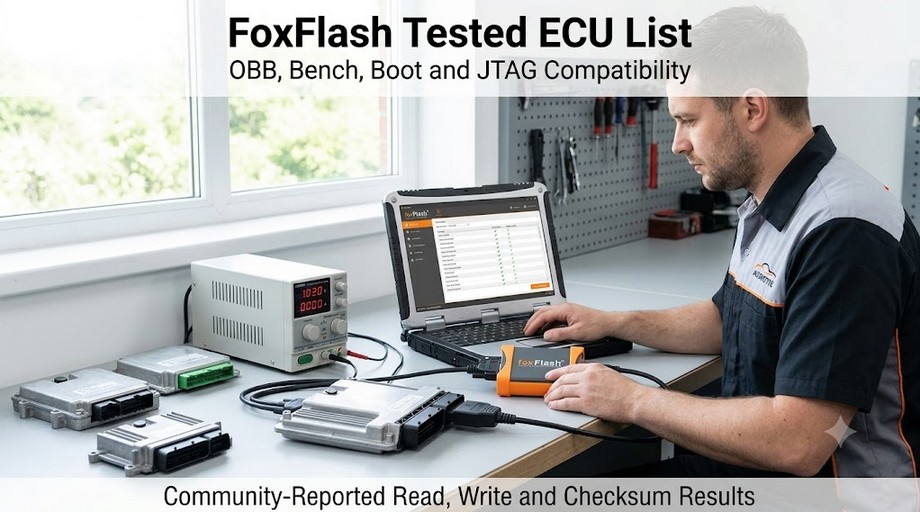
There is no single static list that can guarantee compatibility with every vehicle or every ECU version. However, many real-world FoxFlash test results have been reported by repair shops, ECU specialists, automotive locksmiths, and independent technicians.
This guide organizes those community-reported results by vehicle group, ECU family and connection method.
Quick Answer
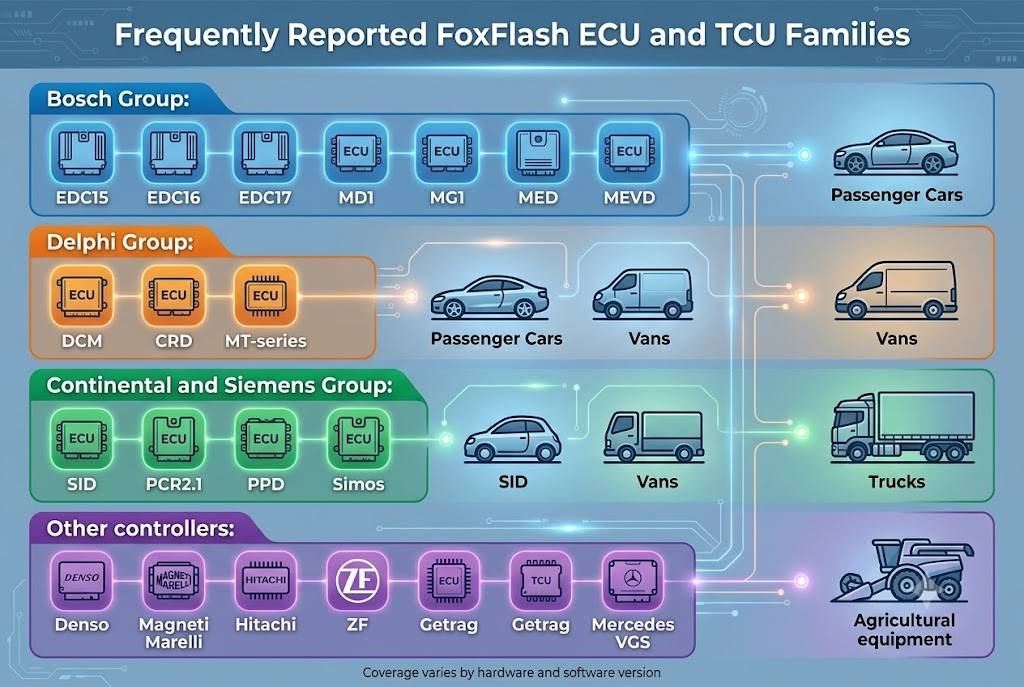
Community reports indicate successful FoxFlash read and write operations on many commonly used controller families, including:
- Bosch EDC15, EDC16 and EDC17
- Bosch MD1 and MG1
- Bosch MED and MEVD gasoline ECUs
- Delphi DCM and CRD controllers
- Continental and Siemens SID controllers
- Continental PCR2.1, PPD and Simos
- Magneti Marelli MJD and IAW controllers
- Denso ECUs used by Toyota, Mazda, Nissan, Mitsubishi and Volvo
- ZF, Getrag, Mercedes VGS and VAG transmission controllers
Successful operations have been reported through OBD, bench, boot, BDM and JTAG modes.
However, a successful report for one vehicle does not automatically guarantee success on another vehicle using an ECU with a similar name. Hardware numbers, software versions, processor types, tuning protection and protocol revisions can all affect compatibility.
Important Compatibility Disclaimer
The controllers listed below are based on community testing rather than an official guarantee for every ECU version.
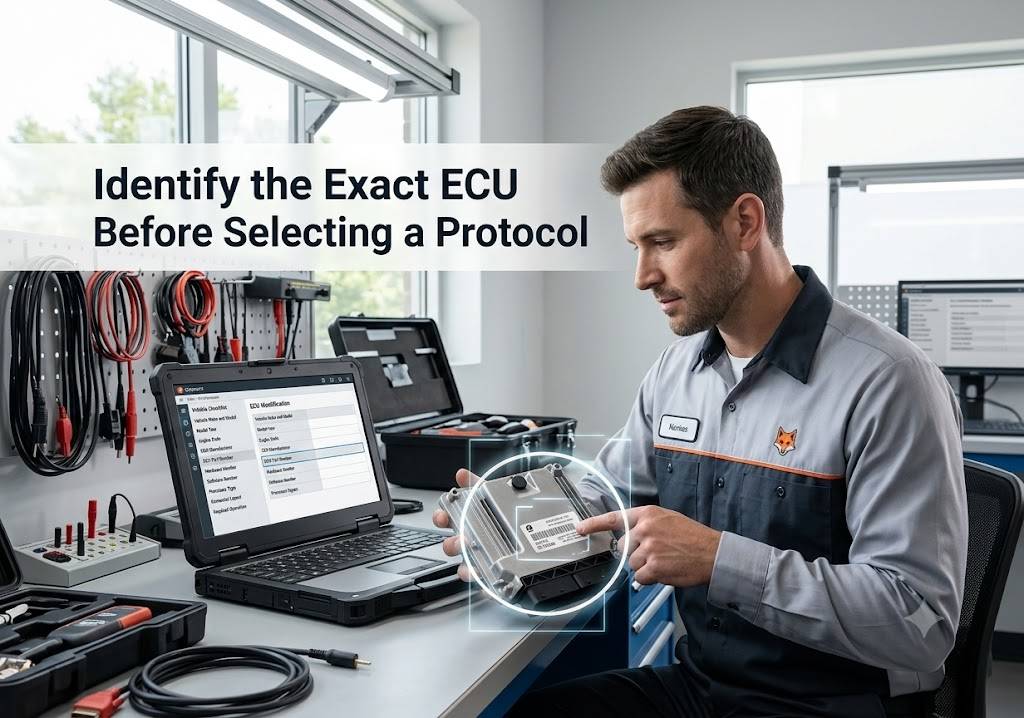
Before connecting FoxFlash, verify:
- Vehicle make, model, year, and engine
- ECU manufacturer and controller family
- ECU part number
- Hardware and software numbers
- Processor type
- Required communication method
- Whether a virtual read file is available
- Whether checksum correction is supported
- Whether full backup, partial reading or calibration-only writing is available
Do not select a protocol based only on the vehicle model.
Two vehicles using the same engine may have different ECU hardware, software, or protection levels.
FoxFlash Programming Methods Explained
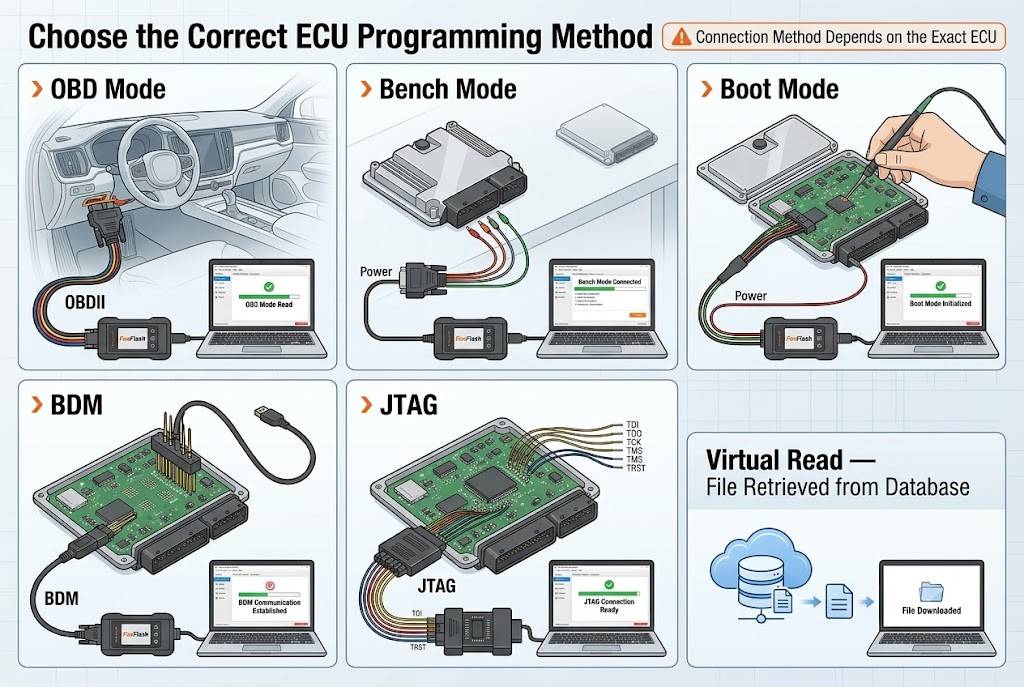
OBD Mode
OBD programming is performed through the vehicle diagnostic connector without removing the ECU.
It is generally the most convenient option, but it may provide only:
- ECU identification
- Virtual reading
- Calibration-area reading
- Calibration writing
- Limited recovery functions
Some ECUs that cannot be read normally through OBD may still support a virtual read if the original file is available in the FoxFlash database.
Bench Mode
Bench mode requires removing or disconnecting the ECU and connecting to its external pins.
Depending on the protocol, bench mode may provide access to:
- Internal flash
- External flash
- EEPROM
- Microcontroller data
- Complete ECU backup
- ECU cloning data
Bench mode does not always require opening the ECU.
Boot Mode
Boot mode normally requires opening the ECU and connecting to designated boot, reset, or processor points.
It is commonly used when:
- OBD communication is unavailable
- The ECU has tuning protection
- A complete backup is required
- The ECU must be recovered after a failed write
- Password or processor access is required
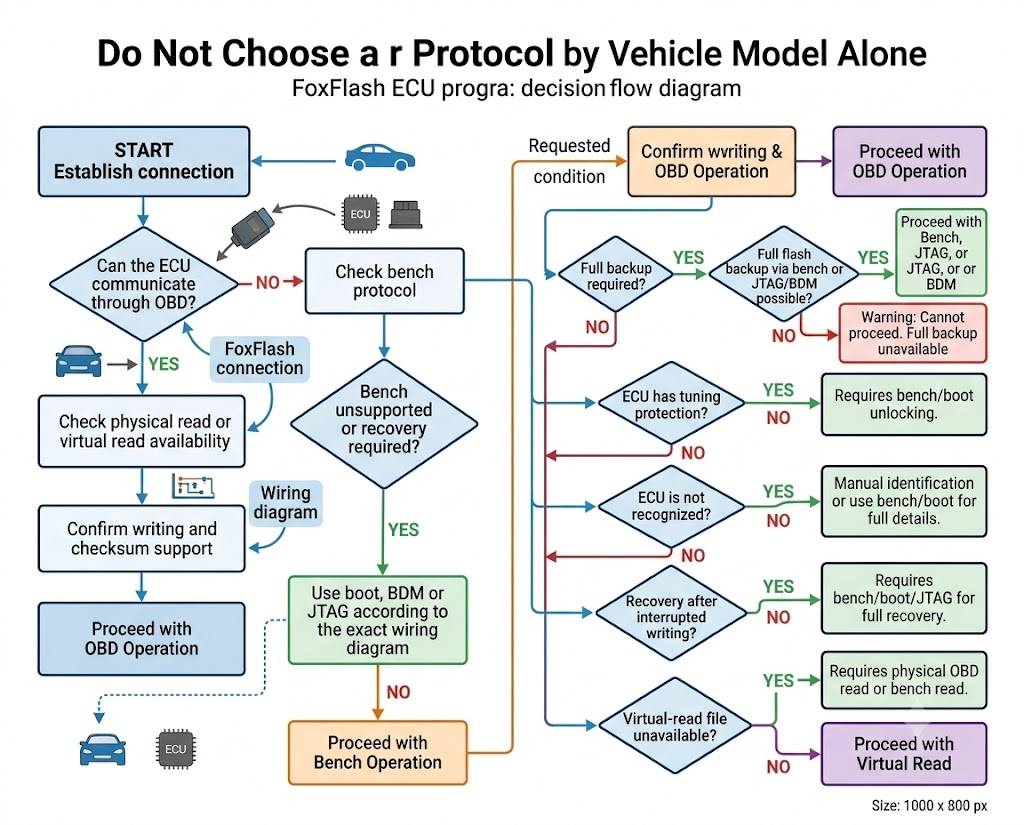
BDM and JTAG
BDM and JTAG are direct programming methods used on certain older or specialized controllers.
These methods may provide access to:
- Flash memory
- EEPROM
- Microcontroller memory
- Full cloning data
Correct positioning, pinout selection, and voltage control are essential.
Virtual Read
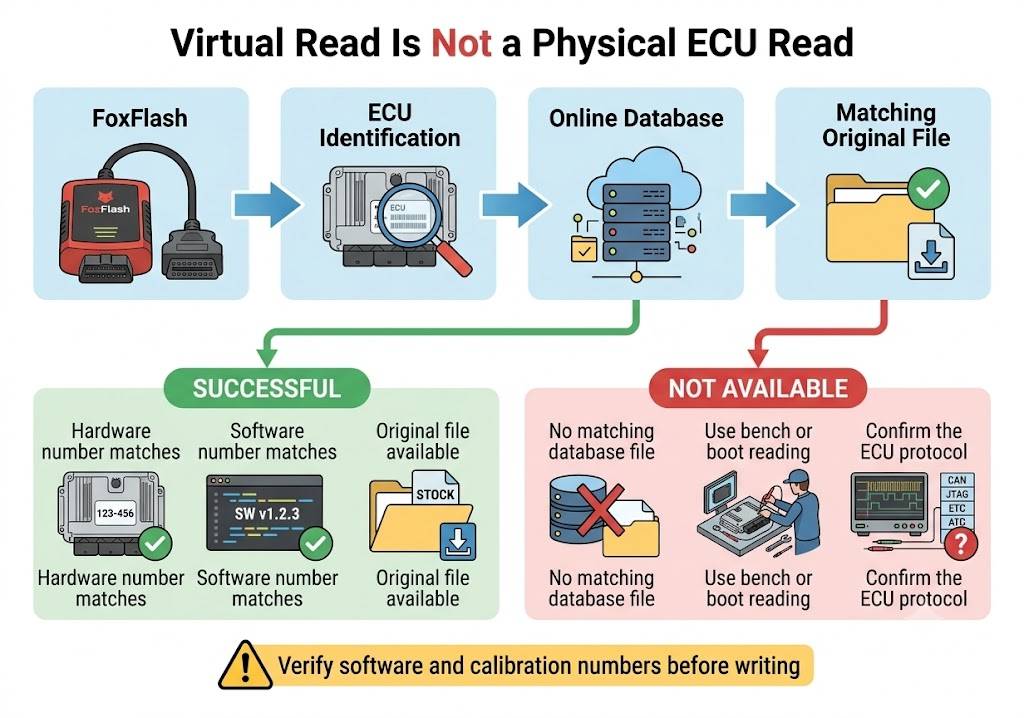
A virtual read does not physically extract the original calibration from the ECU. FoxFlash identifies the ECU and retrieves a matching original file from an online database.
Virtual reading therefore depends on:
- Correct ECU identification
- Internet availability
- Database coverage
- Matching software and calibration numbers
If the correct file is unavailable, bench or boot reading may be required.
Community-Tested FoxFlash ECU Coverage
Volkswagen, Audi, SEAT and Škoda
FoxFlash has been widely reported on VAG diesel and gasoline controllers.
Commonly Reported Bosch Diesel ECUs
- EDC15P and EDC15P+
- EDC15V and EDC15VM+
- EDC16U1
- EDC16U31
- EDC16U34
- EDC16CP34
- EDC17C46
- EDC17C54
- EDC17C64
- EDC17C74
- EDC17CP04
- EDC17CP14
- EDC17CP20
- EDC17CP44
- EDC17CP54
- EDC17CP74
Reported methods include OBD and bench reading and writing.
Examples in the community records include the Volkswagen Golf, Passat, Tiguan, Touran, Transporter, Crafter and Caddy, as well as Audi A3, A4, A5, A6, Q5, Q7 and SQ5 models.
Continental and Delphi Controllers
Reported VAG results also include:
- Simos PCR2.1
- Siemens PPD1.2
- Delphi DCM3.7
- Delphi DCM6.2V
- Simos 8.x
- Simos 18.1
PCR2.1 operations may require unlocking before OBD writing. Depending on the software version, unlocking may be performed through bench or supported OBD procedures.
Gasoline ECUs
Reported gasoline ECU families include:
- MED9.1
- MED9.5.10
- MED17.1
- MED17.1.1
- MED17.1.10
- MED17.1.27
- MED17.5.1
- MED17.5.5
- MED17.5.20
- MED17.5.25
- ME7.5
- ME7.5.1
- ME7.5.10
- MG1CS011
- MD1CS004
Some MED17 and Simos controllers require boot or bench access because of tuning protection.
BMW and MINI
Community reports cover multiple BMW diesel, gasoline, and transmission controllers.
BMW Diesel ECUs
Reported controller families include:
- EDC15C4
- EDC16C1
- EDC16C31
- EDC16C35
- EDC16CP35
- EDC17C06
- EDC17C41
- EDC17C50
- EDC17C56
- EDC17C76
- EDC17CP02
- EDC17CP09
- EDC17CP45
- EDC17CP49
Both OBD and bench operations have been reported, depending on the controller and vehicle generation.
For some EDC17 controllers, users reported that reading and writing worked correctly while checksum correction was completed externally.
BMW MD1 and MG1
Reported newer BMW controllers include:
- MD1CS001
- MD1CP002
- MG1CS003
- MG1CS201
These controllers are commonly handled in bench mode.
Because newer MD1 and MG1 ECUs may use advanced security or tuning protection, always verify the exact hardware and software identification before beginning.
BMW Gasoline ECUs
Community-reported gasoline controllers include:
- MED17.2.5
- MEVD17.2.3
- MEVD17.2.4
- MEVD17.2.7
- MSD80
- MSD81
- MSD81.2
- MS42
Some operations may provide only partial reading or writing. Full cloning support should therefore be confirmed separately.
BMW Transmission Controllers
Reported transmission operations include selected:
- ZF 8HP
- 8HP70
- BMW gearbox control units
A successful read and write report does not necessarily mean that all adaptation, ISN, immobilizer, or cloning functions are available.
Mercedes-Benz
FoxFlash community records include many Bosch and Delphi Mercedes controllers.
Bosch Diesel ECUs
Reported families include:
- EDC16C2
- EDC16C31
- EDC16C32
- EDC16CP31
- EDC16CP36
- EDC17CP01
- EDC17CP10
- EDC17CP46
- EDC17CP57
- EDC17C66
Bench mode is commonly reported for newer Mercedes EDC17 controllers.
Some older EDC16 controllers have also been successfully accessed through OBD.
Delphi CRD Controllers
Community reports include:
- CRD2
- CRD3.10
- CRD3.20
- CRD3.30
- CRD3.3x
- CRD3.6
- CRD3P.B0
- CRD3P.D1
- CRD3.E1
Reported operations include flash and EEPROM reading, writing, and automatic checksum correction on selected protocols.
Writing time can vary considerably. A regulated battery support unit should remain connected for the entire operation.
Newer Mercedes Controllers
Reported newer controllers include:
- MD1CP001
- MRD1
- MD1CS001
- MED17.7.2
- MED17.7.7
Bench access is commonly used for these controllers.
Mercedes Transmission Controllers
Reported TCU families include:
- VGS1
- VGS2
- VGS3
- VGS-NAG2
- DL501 in applicable VAG applications
Read, write, coding-data, and cloning availability may differ between controller versions.
Peugeot and Citroën
PSA controllers represent one of the largest groups in the community records.
Bosch Diesel ECUs
Frequently reported families include:
- EDC15C2
- EDC15C7
- EDC16C3
- EDC16C34
- EDC16CP39
- EDC17C10
- EDC17C60
- EDC17CP42
OBD, bench, and boot methods have all been reported.
EDC16C34 and EDC17C10 appear frequently in Peugeot and Citroën test reports.
Delphi ECUs
Reported Delphi families include:
- DCM3.5
- DCM6.2A
- DCM6.2C
- DCM7.1A
- DCM7.1B
Some DCM6.2 controllers have been successfully read and written through OBD, while others may require boot access for recovery or complete backup.
Siemens and Continental ECUs
Reported families include:
- SID801
- SID803
- SID803A
- SID807
- SID807 EVO
- SID208
Some SID208 and SID310-type procedures require password access before boot reading or writing.
PSA Gasoline ECUs
Reported gasoline controllers include:
- ME7.4.4
- MEV17.4
- MEV17.4.2
- Valeo J34P
Bench, boot and OBD results vary by controller.
Renault and Dacia
Community reports include Renault passenger vehicles, vans and some commercial vehicles.
Common Bosch Controllers
Reported families include:
- EDC15C3
- EDC15C13
- EDC16CP33
- EDC16C36
- EDC17C11
- EDC17C42
- EDC17C84
- MD1CS006
The Renault Trafic, Master, Clio, Megane, Scenic and Talisman appear repeatedly in community test records.
EDC17C42, EDC17C84 and MD1CS006 are commonly reported in bench mode, although selected OBD procedures have also been tested.
Siemens and Continental Controllers
Reported families include:
- SID305
- SID307
- SID309
- SID310
- EMS3110
- EMS3155
SID310 operations may require password extraction before boot access.
Other Renault Controllers
Additional reported families include:
- Sirius 32
- Sirius 32N
- Sirius 34
- Sagem 3000
- Delphi DCM1.2
- Delphi DCM3.4
- Getrag DCT250/DC4 TCU
Ford
FoxFlash reports include passenger cars, Transit vans and newer EcoBlue applications.
Frequently Reported Ford Controllers
- EDC16C3
- EDC16C34
- EDC17C10
- SID202
- SID206
- SID208
- SID209
- SID211
- SID803
- SID807
- SID807 EVO
- Delphi DCM3.5
- MD1CS005
- EMS2511
- DCU102
SID208 and SID211 appear frequently in Ford Transit reports.
Some SID208 procedures use OBD for identification and password operations, followed by boot mode for a full read or recovery.
Newer Ford MD1CS005 controllers are generally reported in bench mode.
Opel and Vauxhall
Reported Opel and Vauxhall controllers include Bosch, Delphi, Delco, and transmission units.
Commonly Reported Controllers
- EDC16C9
- EDC16C39
- EDC17C18
- EDC17C19
- EDC17C42
- EDC17C59
- Delco E39A
- Delco E83
- Delco E87
- Delco E97
- Delco E98
- ME7.6.1
- ME7.6.2
- ME7.6.3
- PSG16
- Simtec 75
- Simtec 81.1
- Easytronic TCM
Depending on the controller, successful operations have been reported through OBD, bench or boot mode.
Delco E98 appears in multiple OBD and bench reports with read, write and checksum confirmation.
Fiat, Alfa Romeo and Iveco
Fiat and Alfa Romeo Controllers
Reported controller families include:
- EDC16C8
- EDC16C39
- EDC17C49
- EDC17C69
- EDC17C79
- MJD6F3
- MJD8F3
- MJD9DF
- IAW 4HV
- IAW 5AF
- IAW 5SF
- ME7.3H4
- MEV17.4.2
Marelli MJD9DF operations may use bench mode for reading and OBD for writing, depending on the protocol.
Some community reports note unusually long reading times on certain Marelli ECUs. Stable power and a reliable computer connection are essential.
Iveco Controllers
Reported Iveco and EuroCargo controllers include:
- EDC15C7
- EDC16C8
- EDC16C39
- EDC17C49
- EDC7UC31
- EDC17CV41
OBD and bench operations have both been reported.
Toyota and Lexus
Reported Toyota controller families include:
- EDC16C10
- EDC17C47
- EDC17CP37
- Denso NEC76F0038
- Denso 175822-series
- Denso 89663-series
- Denso SH76F-series
Some Denso ECUs have been tested through OBD virtual reading, while others require JTAG, BDM, boot, or direct bench access.
The exact Denso part number and processor marking are particularly important when selecting a protocol.
Nissan and Infiniti
Reported Nissan controller families include:
- Denso 275800-series
- Hitachi MEC92
- Hitachi MEC93
- SID305
- SID307
- SID310
- EDC17CP42
- DCU17CP42
Nissan Navara, Qashqai, Juke and Pathfinder models appear in community feedback.
Some Hitachi MEC controllers were accessed using closely related protocols. This should only be attempted after confirming the processor and memory layout.
Mazda
Reported Mazda controllers include:
- Denso SH01
- Denso SH9N
- Denso SH12
- Denso RF8K
- EDC16C3
OBD read and write times on certain Denso controllers may be considerably longer than on Bosch ECUs.
Maintain regulated voltage and do not interrupt the process, even if the progress bar appears slow.
Mitsubishi
Reported Mitsubishi controllers include:
- EDC7C4
- EDC17C49
- Denso 4N13
- Denso SH705x
- Mitsubishi boot-mode ECUs
Passenger vehicles, L200 models and Fuso commercial vehicles appear in the test records.
Hyundai and Kia
Reported families include:
- EDC16C39
- EDC17C08
- EDC17C53
- EDC17C57
- DCM3.7
- DCM3.7AP
- DCM6.2AP
- ME17.9.11
- ME17.9.21
- Denso 39199-series
Successful bench, boot, and OBD operations have been reported, depending on the controller.
Jaguar and Land Rover
Reported Jaguar and Land Rover families include:
- EDC16CP39
- EDC17CP11
- EDC17CP42
- EDC17CP55
- MEDC17.9
- MD1CP004
- SID201
- Denso and Bosch diesel applications
Bench mode is frequently used for newer Jaguar and Land Rover ECUs.
One important community warning concerns MEDC17.9 applications: an OBD write failure may require bench recovery. A complete backup should therefore be created before attempting OBD writing.
Volvo
Reported Volvo controllers include:
- EDC15C11
- EDC16C31
- EDC16C34
- EDC17CP22
- EDC17CP48
- SID206
- SID803A
- Denso MB279700
- Bosch ME7
- TRW EMS2.2
- TRW EMS2.3
Some Volvo Denso procedures require reading, unlocking, and writing in separate steps.
Follow the protocol instructions exactly and confirm whether writing must be completed through OBD or bench mode.
| Vehicle | ECU | Method | Read | Write | Checksum | Notes |
|---|---|---|---|---|---|---|
| VW Golf 7 | EDC17C64 | Bench | Yes | Yes | Manual/Tool | Verify HW/SW |
| Renault Trafic | EDC17C84 | Bench | Yes | Yes | Reported OK | Version varies |
Heavy-Duty and Off-Highway Controllers
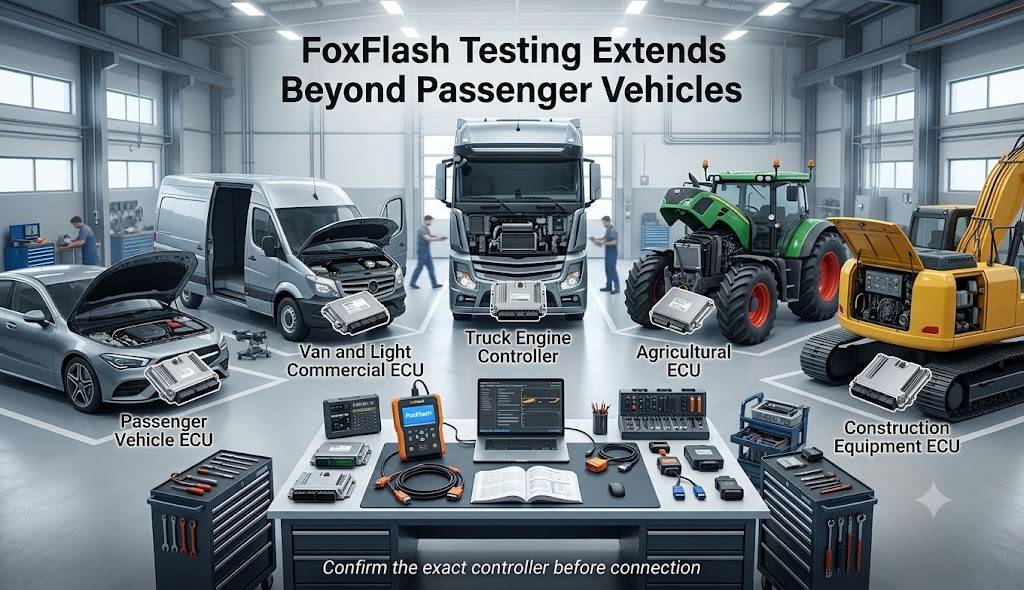
FoxFlash community testing is not limited to passenger vehicles.
Reported heavy-duty and off-highway applications include:
- MAN EDC7C3
- MAN EDC7C32
- MAN DCU15
- DAF XF controllers
- Scania EMS S8
- Mercedes Actros MCM2.1
- Iveco EDC7UC31
- Mitsubishi Fuso EDC7C4
- Mitsubishi Fuso EDC17C49
- Volvo and Renault Truck EMS2.2/EMS2.3
- CASE and New Holland EDC17CV41
- CASE MD1CS069
- John Deere agricultural applications
- Isuzu Transtron controllers
Coverage can vary significantly between engine, emissions, and vehicle-control modules. Always confirm the exact ECU label before purchase or connection.
Reported Transmission and TCU Coverage
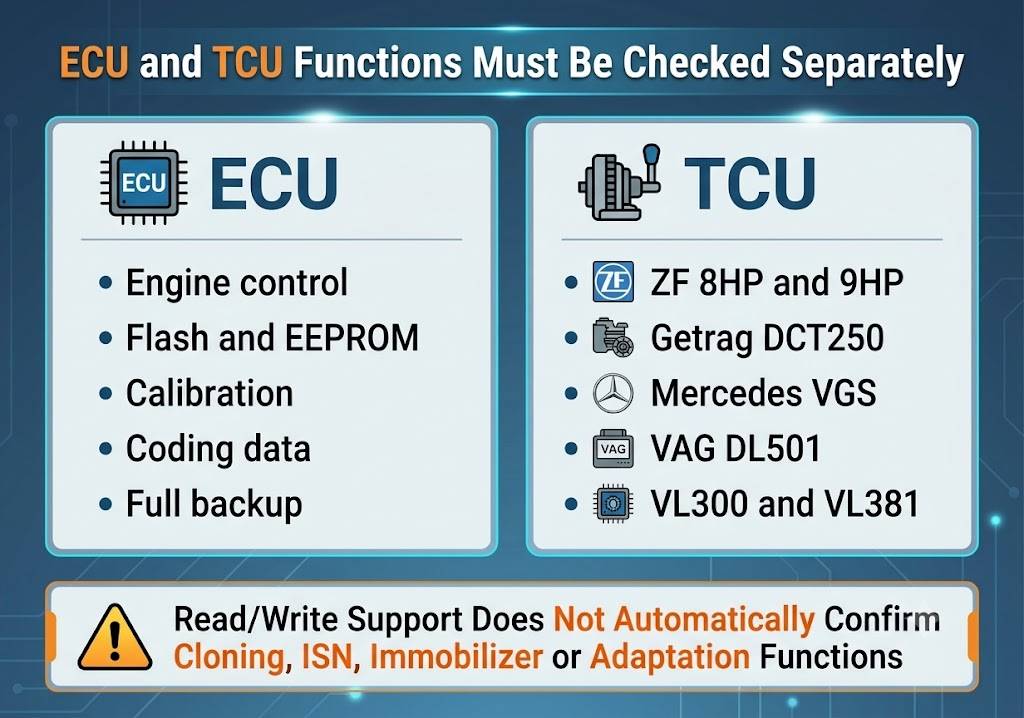
Community records also include successful work on selected transmission controllers:
- ZF 8HP
- ZF 9HP
- Jeep, Fiat and Dodge 9HP
- Getrag DCT250/DC4
- Mercedes VGS1
- Mercedes VGS2
- Mercedes VGS3
- VAG DL501
- Audi VL300
- Audi VL381
A successful flash read and write does not automatically confirm support for:
- Immobilizer synchronization
- ISN transfer
- Component protection
- Cloning
- Coding
- Adaptation reset
Confirm the exact required operation before starting.
Important Limitations Reported by Technicians
1. Checksum Is Not Always Automatic
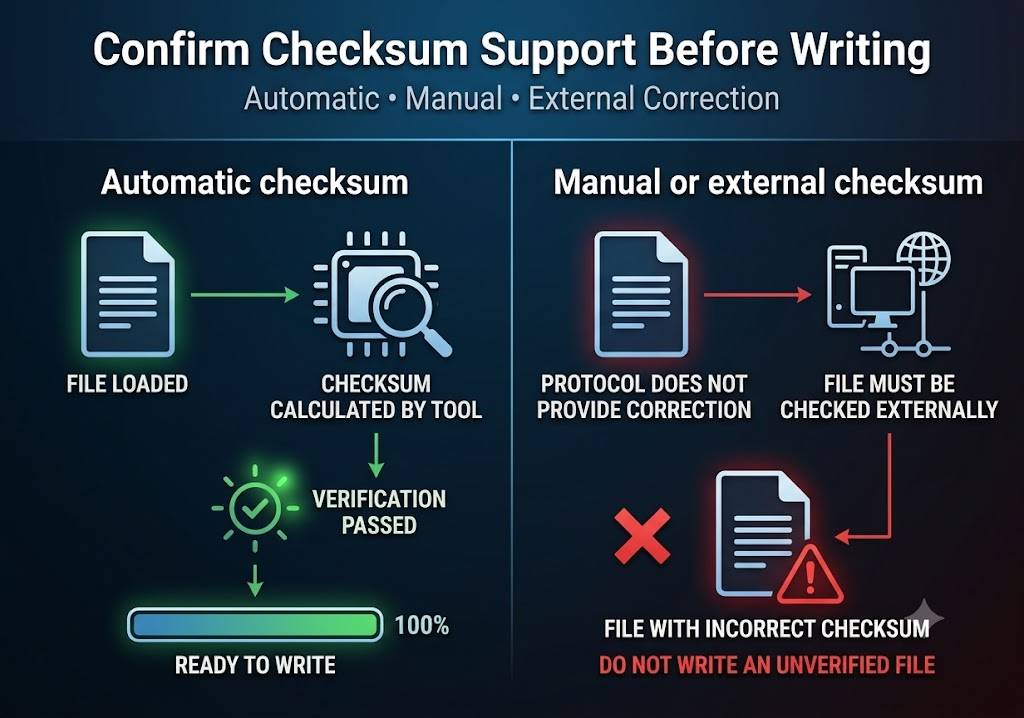
Many community reports confirm automatic checksum correction. Others state that checksum correction had to be completed with external software such as WinOLS or another checksum solution.
Before writing a modified file, determine whether the selected FoxFlash protocol:
- Automatically corrects the checksum
- Detects an incorrect checksum
- Requires an externally corrected file
- Corrects only specific memory areas
Never assume checksum correction is included.
2. OBD Reading May Depend on a Virtual File
Some protocols provide a virtual read instead of physically reading the ECU calibration.
If the correct original file is not available in the database, OBD reading may fail even though bench reading is supported.
3. Bench or Boot Recovery May Be Required
Several reports show that an ECU that failed during an OBD operation could be recovered through bench or boot mode.
Before an OBD write, confirm:
- A complete backup is available
- The bench or boot protocol is supported
- The correct pinout is available
- Recovery access will remain possible
4. Write Times Vary
Reported writing times range from less than one minute to more than 30 minutes.
Some Marelli and Denso reading procedures can take considerably longer.
Do not disconnect the tool because a procedure appears slow.
5. Stable Internet May Be Required
Virtual reading, protocol authentication, database access, and some software functions may depend on a stable internet connection.
Use a wired connection when possible and prevent the computer from entering sleep mode.
6. Voltage Requirements Differ
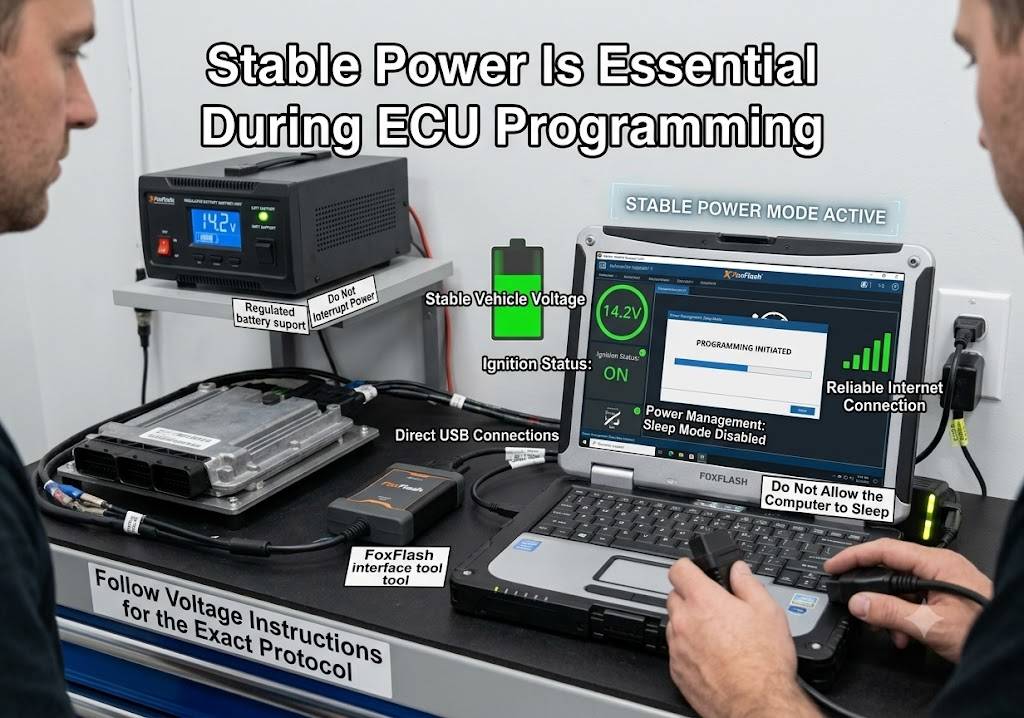
Community reports mention successful operations at voltages ranging from approximately 12.3 volts to more than 14 volts, depending on the ECU and connection method.
This does not mean that uncontrolled voltage is acceptable.
Use a regulated power source or professional battery support unit capable of maintaining the required voltage without spikes or sudden drops.
7. Pinout Accuracy Is Critical
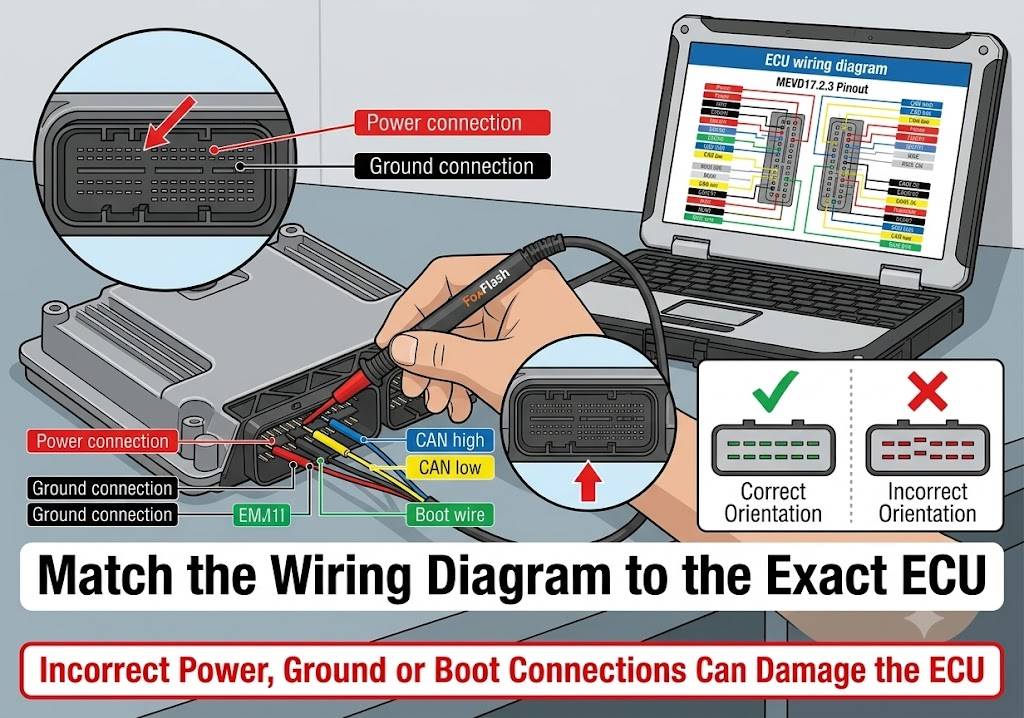
Some reported problems were caused by:
- Incorrect wiring diagrams
- Similar-looking connector layouts
- Brown or boot wires connected to the wrong pin
- Poor USB cable contact
- Unstable bench adapters
- Incorrect protocol selection
Always compare the wiring diagram with the exact ECU part number and connector layout.
Recommended FoxFlash Workflow
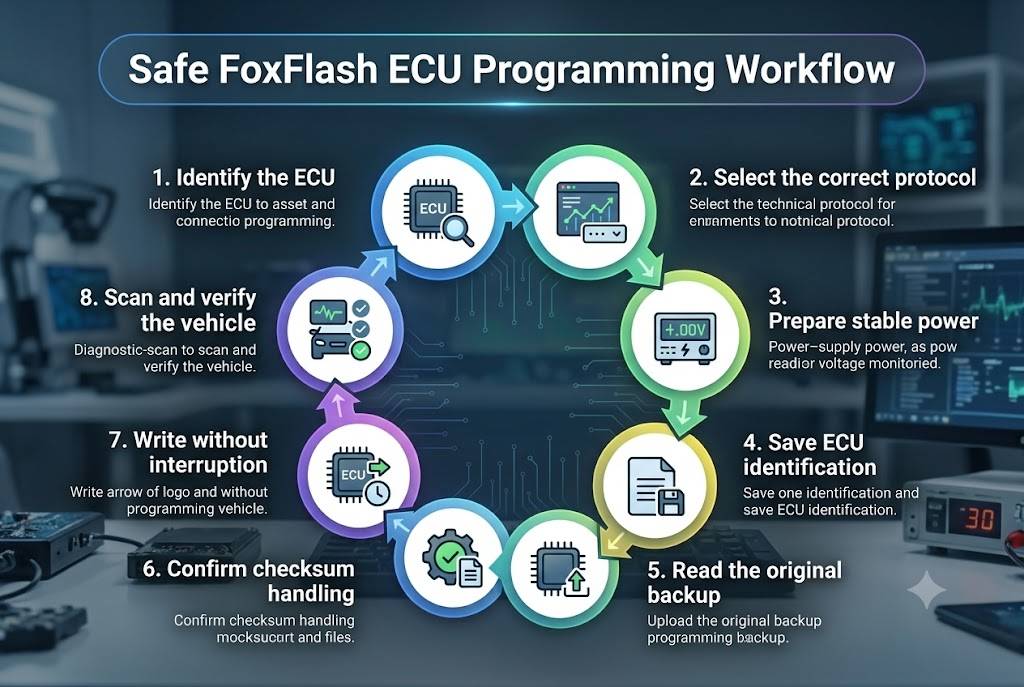
Step 1: Identify the ECU
Record:
- Vehicle identification number
- Make and model
- Model year
- Engine code
- ECU manufacturer
- ECU part number
- Hardware number
- Software number
Photograph the ECU label before connecting the tool.
Step 2: Choose the Correct Method
Select OBD, bench, boot, BDM or JTAG based on the protocol instructions rather than convenience.
Step 3: Prepare Stable Power
For vehicle-based programming:
- Connect a regulated battery support unit
- Switch off lights, HVAC, and accessories
- Prevent doors from waking vehicle modules
- Keep the ignition state exactly as instructed
For bench programming:
- Use a regulated power supply
- Verify polarity
- Confirm ground connections
- Set the required voltage before powering the ECU
Step 4: Save ECU Identification
Save a screenshot or text record containing:
- ECU identification
- Hardware number
- Software number
- Calibration number
- Protocol used
- Connection method
Step 5: Create a Complete Backup
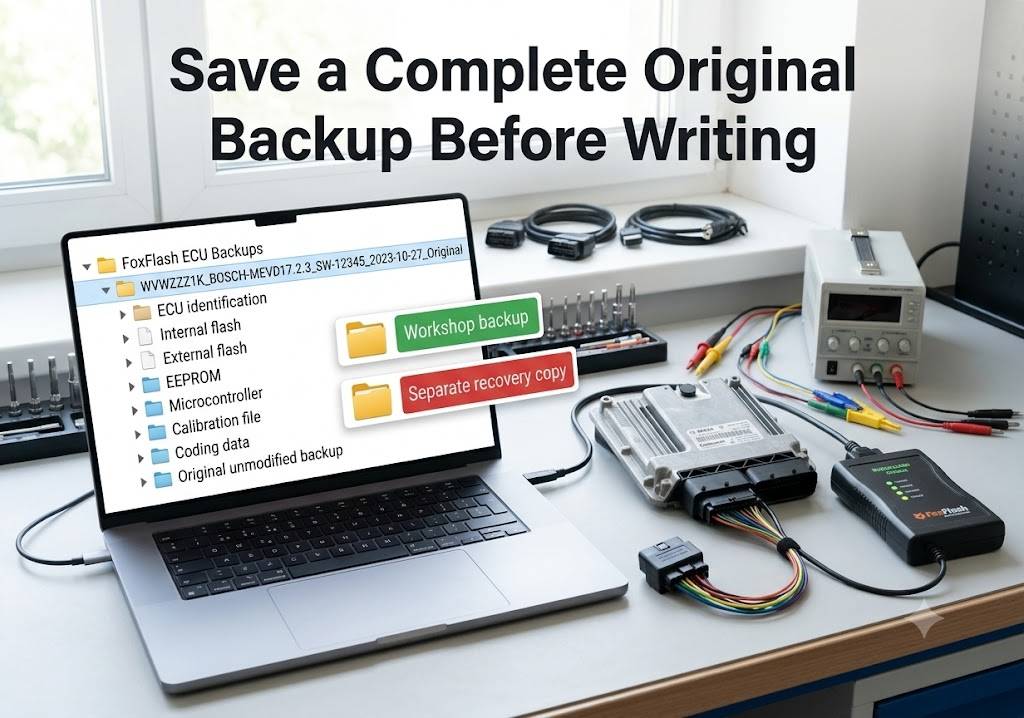
Where supported, read and save:
- Internal flash
- External flash
- EEPROM
- Microcontroller data
- Original calibration
- Coding or immobilizer data
Store an untouched copy separately from modified files.
Step 6: Confirm Checksum Handling
Determine whether FoxFlash will correct the checksum automatically or whether the file must be corrected before writing.
Step 7: Write Without Interruption
During writing:
- Do not disconnect USB
- Do not switch off the power supply
- Do not close the software
- Do not operate other vehicle systems
- Do not allow Windows to sleep
- Follow every ignition prompt exactly
Step 8: Verify the Vehicle
After writing:
- Clear programming-related fault codes.
- Switch the ignition off for the specified period.
- Restart the diagnostic session.
- Confirm that the ECU communicates normally.
- Check the vehicle identification and calibration data.
- Start the engine where appropriate.
- Monitor fault codes and live data.
- Perform required relearns or adaptations.
- Confirm that no warning lights remain.
Legal and Professional Use
FoxFlash should be used only on vehicles and control units that you own or are authorized to repair.
ECU programming can affect:
- Engine operation
- Vehicle security
- Emissions compliance
- Safety systems
- Immobilizer functions
- Transmission control
- Manufacturer warranty coverage
Some community reports mention modifications involving emissions systems or vehicle-security functions. Turning off legally required emissions or security systems may violate local regulations.
OBD2.LTD does not recommend unlawful modifications. Technicians are responsible for following applicable laws, workshop procedures, and vehicle-manufacturer requirements.
How to Request a FoxFlash Compatibility Check
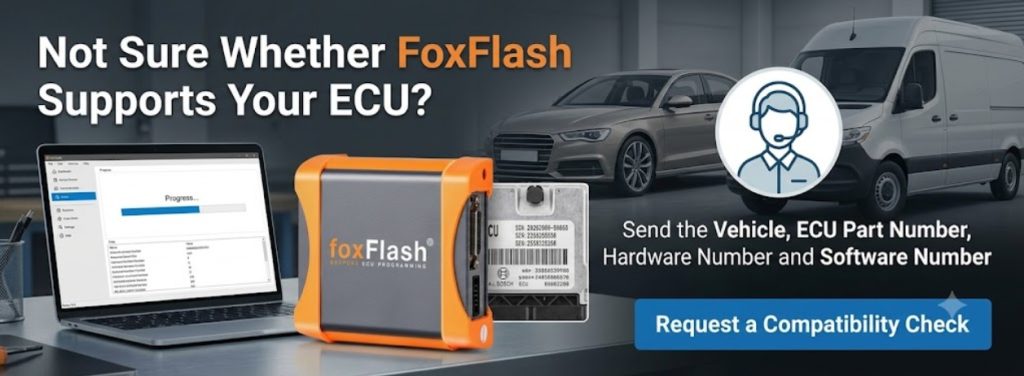
Before purchasing FoxFlash or attempting a programming operation, provide the following information:
- Vehicle make
- Vehicle model
- Model year
- Engine type or engine code
- ECU manufacturer
- ECU model
- ECU part number
- Hardware number
- Software number
- Clear ECU label photograph
- Required operation
- Preferred connection method
For example:
2018 Volkswagen Passat, 2.0 TDI, Bosch EDC17C74. I need to read the original flash and EEPROM and write a repaired calibration. Can FoxFlash perform this operation by OBD, or is bench mode required?
This information allows technical support to check the correct protocol and avoid assumptions based only on the vehicle name.
FoxFlash Super Strong ECU Chip Tuning Tool
Professional ECU and TCU programmer supporting OBD, Bench, Boot, BDM and JTAG operations. Online VR reading and automatic checksum functions are available for compatible protocols.
Before ordering: Send us the vehicle model, year, engine type and a clear photograph of the ECU label for acompatibility check.
Check FoxFlash Price and Product Details
Frequently Asked Questions
Is there a complete official FoxFlash ECU compatibility list?
FoxFlash provides protocol and driver information within its software, but no static list can guarantee every hardware and software variation.
The list in this article is based on community-reported tests and should be used as a reference rather than a universal compatibility guarantee.
Does a successful read and write report confirm ECU cloning?
No.
ECU cloning normally requires access to all essential memory areas, which may include flash, EEPROM, the microcontroller, the immobilizer, and coding data.
A protocol that reads and writes only the calibration area may not support cloning.
Can FoxFlash program every supported ECU through OBD?
No.
Some ECUs support OBD identification and writing but not a physical read. Others require bench or boot mode because of tuning protection, processor access, or recovery requirements.
What does VR mean?
VR means virtual read.
The tool identifies the ECU and downloads a matching original file from a database instead of physically reading the calibration from the ECU.
Does FoxFlash automatically correct every checksum?
No.
Automatic checksum correction depends on the ECU, protocol and memory area. Some reported jobs required external checksum correction.
Can the same ECU family use different protocols?
Yes.
An ECU family can contain different processors, hardware revisions, software protections and connector layouts. Always confirm the full ECU identification.
Can FoxFlash recover an ECU after an interrupted write?
Recovery may be possible if the correct bench or boot protocol is available and the ECU hardware has not been damaged.
A complete original backup greatly improves the chance of successful recovery.
Does FoxFlash support transmission controllers?
Community reports include selected ZF, Getrag, Mercedes VGS, DL501, VL300 and VL381 transmission controllers.
Exact read, write, cloning, and coding functions must be checked separately.
Is a battery charger sufficient for ECU programming?
A basic charger may not provide stable enough voltage.
A regulated battery support unit designed for diagnostic and programming work is recommended.
Why did another technician succeed on the same vehicle while my ECU is not recognized?
Possible reasons include:
- Different ECU part number
- Different hardware revision
- Different software version
- Different processor
- Updated tuning protection
- Incorrect protocol
- Missing virtual-read file
- Incorrect wiring
- Software or driver version differences
Confirm the ECU identification rather than relying only on the vehicle model.
Final Assessment
FoxFlash has a broad range of community-reported ECU and TCU programming results across European, Asian, American, heavy-duty and off-highway applications.
The strongest reported coverage includes Bosch EDC16 and EDC17, PSA Delphi DCM controllers, Renault and Ford SID controllers, VAG PCR2.1, Mercedes CRD controllers, Marelli MJD ECUs and selected newer Bosch MD1 and MG1 units.
However, professional ECU programming should never be based on a controller name alone.
The safest process is to:
- Identify the exact ECU.
- Confirm the available FoxFlash protocol.
- Select the correct connection method.
- Maintain stable regulated power.
- Save a complete original backup.
- Confirm checksum support.
- Prepare a bench or boot recovery plan.
- Verify the vehicle after programming.
Send the vehicle and ECU information to OBD2.LTD before ordering when compatibility is uncertain.