The Function View in SCANIA SDP3 allows you to check, adjust, and calibrate systems at a function level. When you switch between main tabs, SDP3 automatically navigates to the corresponding level in the new tab. Any modifications made at the function level are applied across all relevant control units simultaneously.
1. Check – Troubleshooting with Guided Procedures
This section lets you troubleshoot functions using grouped guides. All guides related to a specific function appear together, regardless of which control units are involved.
If a Control Unit Fails to Respond
- The function will be marked with a cross in the navigation tree.
- Troubleshooting guides for that function cannot be started.
How to Use
- Select a group in the tree structure.
- Press the button for the chosen wizard to launch the guide.
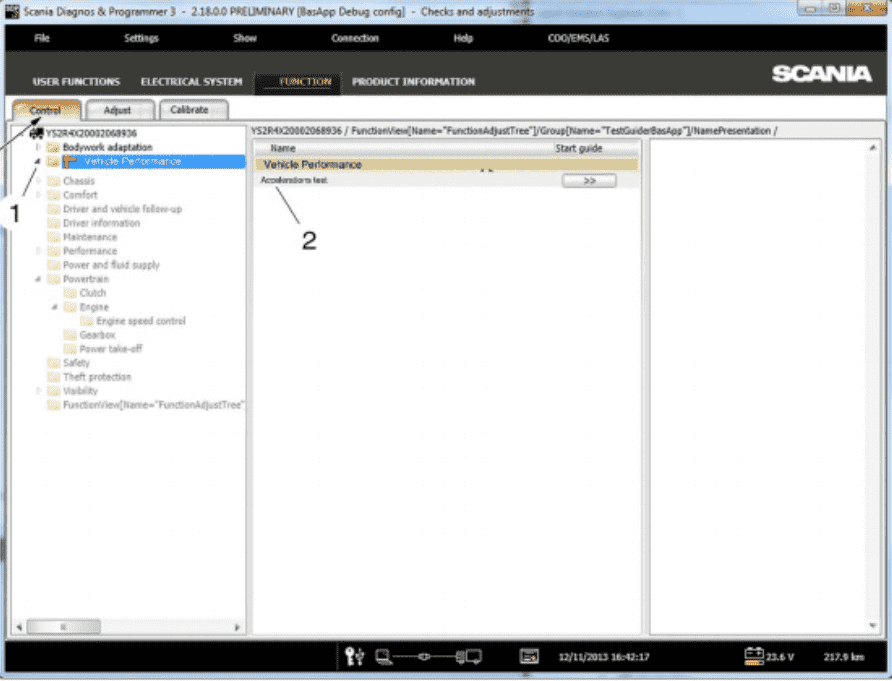
2. Adjustment – Editing Function Parameters
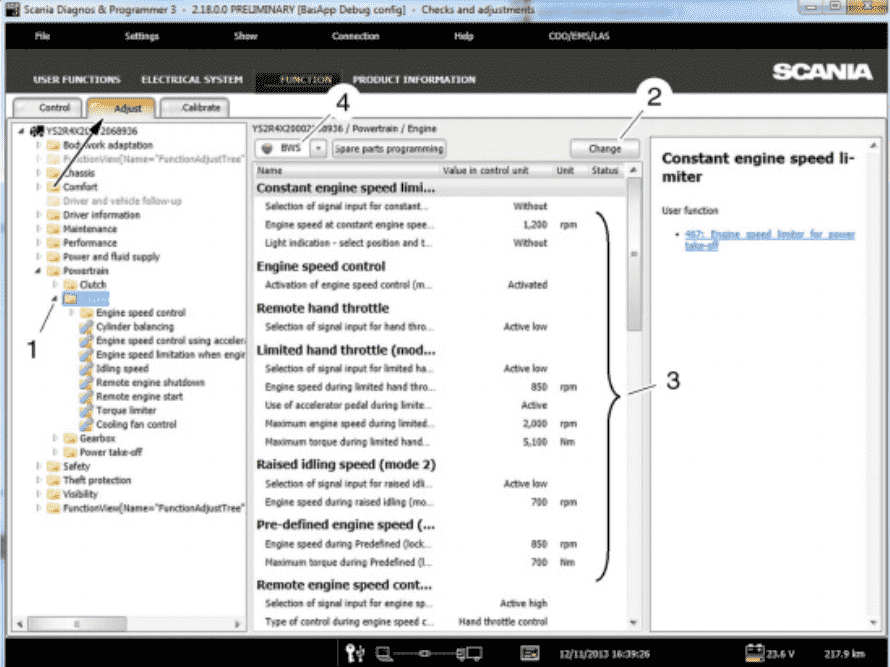
In this section, you can view and modify customer parameters grouped by function. All parameters associated with a function appear together. Adjusted settings are stored in the SOPS file so they can be restored when replacing any control unit.
Important Notes
- Resolve all vehicle fault codes before making adjustments.
- Control units must be spare part programmed before adjustments.
- A yellow dot indicates that spare part programming is required.
- A green dot confirms the programming is complete.
- If a required control unit does not respond, the function is marked with a cross and parameters cannot be edited.
A link to each parameter’s related user function is available for reference.
Adjusting Multiple Parameter Groups
- Select a parameter group in the tree structure.
- Press Change.
- Select a new value.
- A changed value is marked with a red dot.
- A flake symbol indicates the factory-set value.
- Press Execute.
- The related control units are reprogrammed.
- Successful changes are marked with a green tick.
- Failed changes remain marked with a red dot.
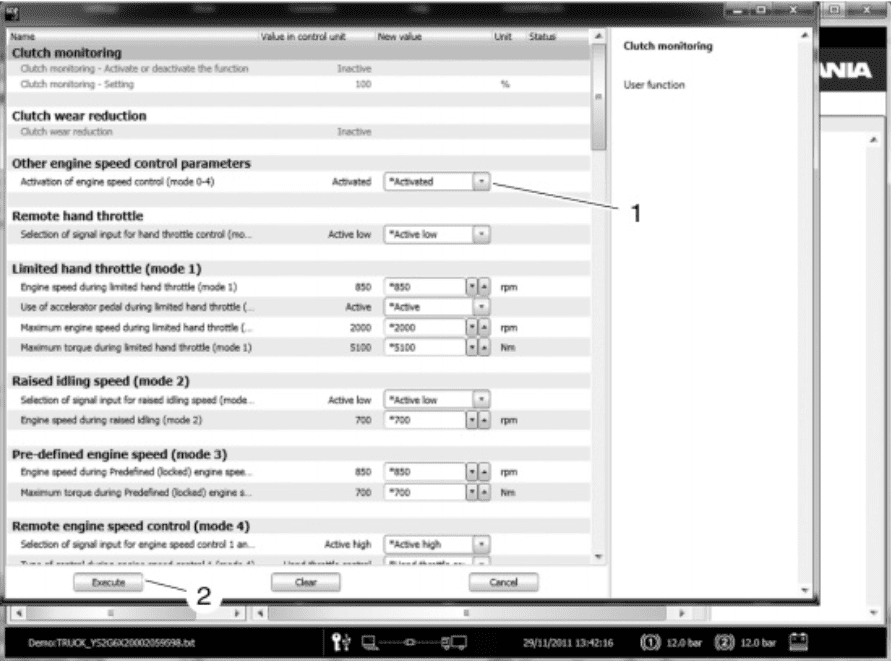
Adjusting a Single Parameter Group
- Select the parameter group to adjust.
- Press Change.
- Select the new value.
- Click Execute.
- Control units are reprogrammed.
- Successful adjustments show a green tick.
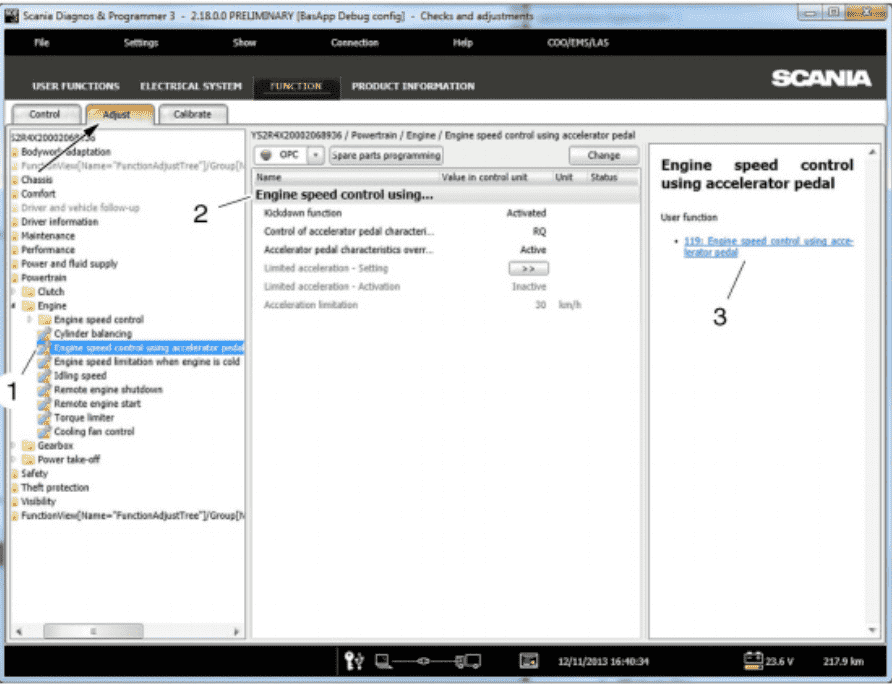
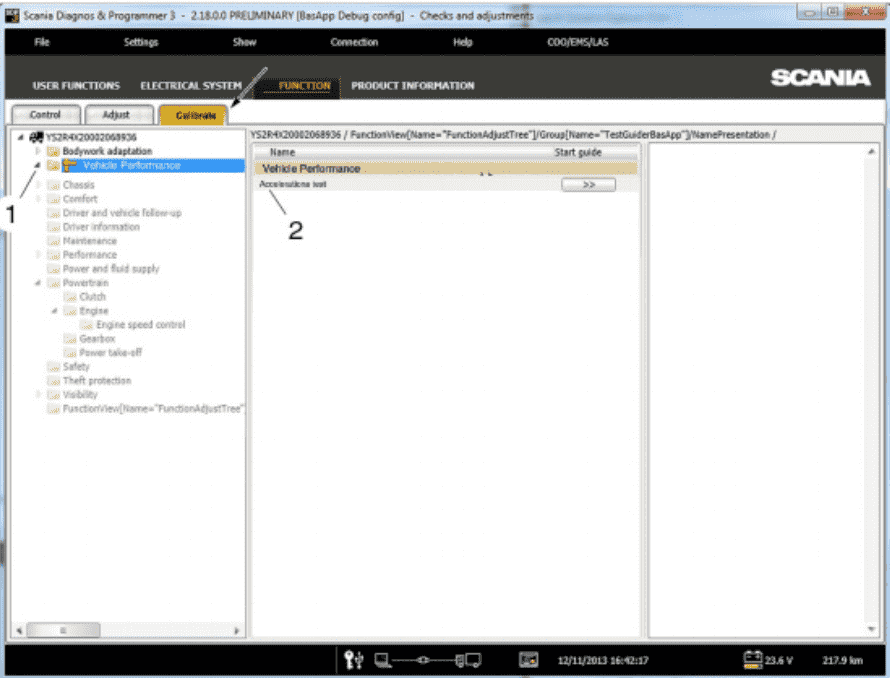
3. Calibration
Calibration guides are grouped in the same way as troubleshooting. All calibration guides needed for a function are displayed together, regardless of control unit.
If a Required Control Unit Does Not Respond
- The function is marked with a cross.
- Calibration cannot be started.
How to Start Calibration
- Select a group in the tree structure.
- Press the button for the selected wizard.
4. Product Information
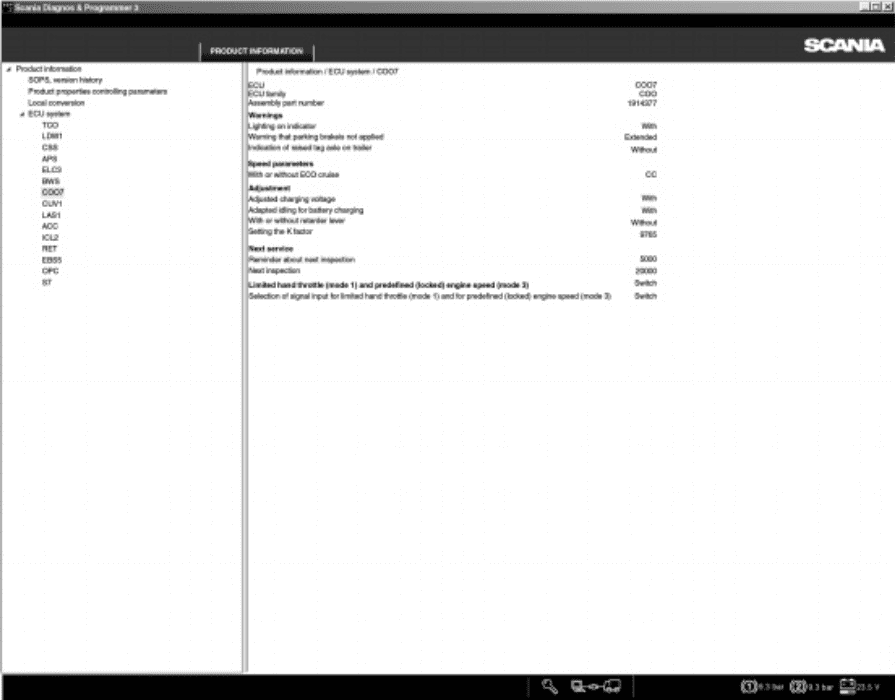
This section displays key details about vehicle configuration, including:
- Available user functions
- Electrical chassis specifications
- Control unit parameter settings
- Timestamp and USB key details for parameter changes
- Any local conversions performed on the vehicle
5. Conversion – Adaptations and Updates
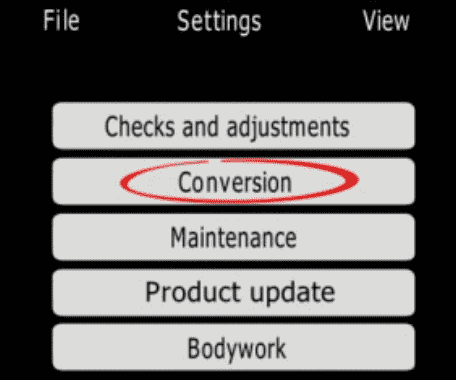
The Conversion option allows you to perform adaptations and install pre-ordered updates (conversions) on the connected product.
Important
Conversions may reset certain control unit settings and calibrations. After conversion:
- Ensure parameters are correctly set.
- Recalibrate control units as needed.
For pre-ordered conversions, a network connection to Scania and Reflex access is required.
You can also reset SOPS files (requires a request submitted via FRAS).
Before resetting, verify any local conversions—they must be revalidated afterward.
Note: Scania is not responsible for conversions that violate national regulations.
You may also analyze stored operational data directly in SDP3 via View stored operational data.
6. Local Conversion
This section shows details of any local conversions. You can perform local conversions by modifying parameters included in the conversion package. Control units affected are automatically reprogrammed.
After Performing a Local Conversion
- Send the updated SOPS file back to Scania.
This ensures correct information is displayed in Scania Multi.
Local Conversion Procedure
- Start SDP3 → select Conversion.
- Read and correct any fault codes.
- Highlight the vehicle level → choose Local conversion.
- Select the desired conversion and continue.
- Set new parameter values.
- Select OK.
- Save the SOPS file.
- Calibrate and reset any affected control units.
- Report the updated SOPS file to Scania.
More information about Scania,Please click Scania Trouble Repair.