Quick Answer
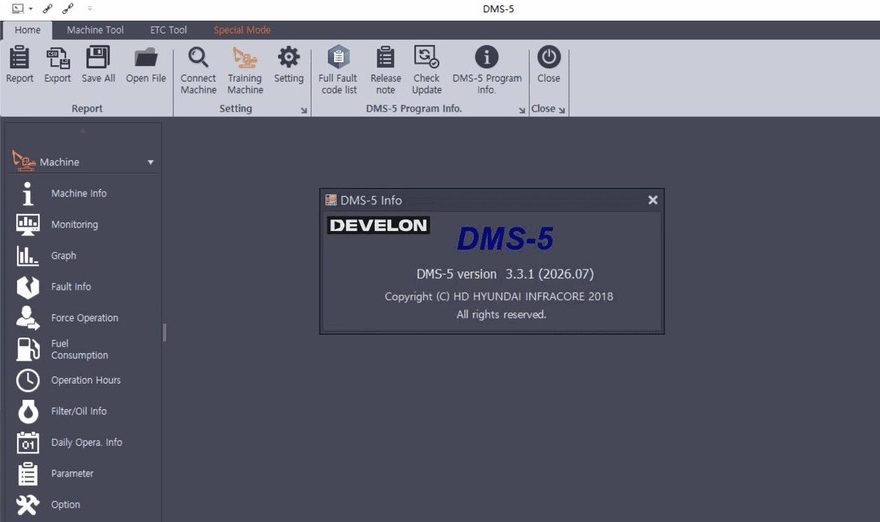
DOOSAN DMS 5 V3.3.1 Release Information
| Item | Details |
| Software | DOOSAN / DEVELON DMS 5 |
| Version |
V3.3.1
|
| Release |
2026.08
|
| Type | Diagnostic Software |
| Region | Worldwide |
| File Size | 8.6 GB |
| Languages | Multiple languages, including English |
| Installation | Remote installation and activation |
| Activation | One computer |
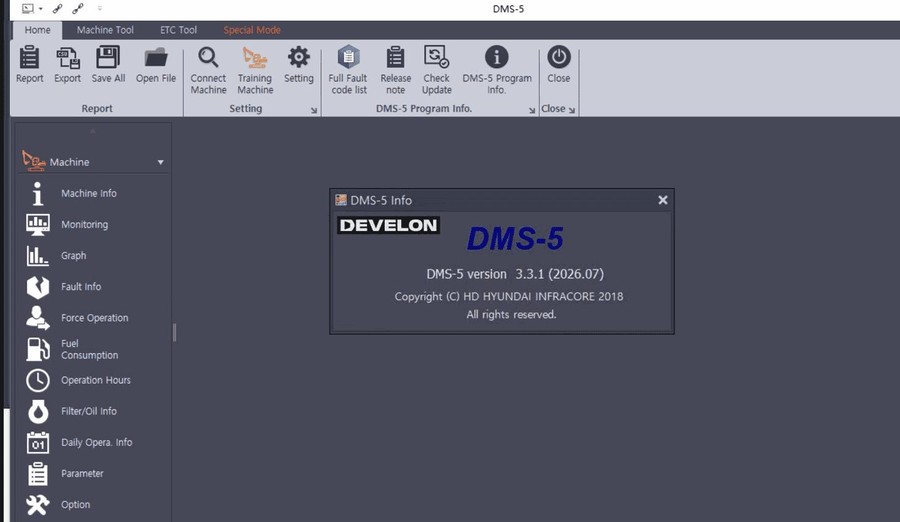
- Windows 8 / 8.1 64-bit
- Windows 10 32-bit
- Windows 10 64-bit
- Windows 11 64-bit
- Windows 11 Pro 64-bit
What Does DMS 5 V3.3.1 Do?
- Monitor current EPOS or VCU controller status.
- Display excavator and wheel-loader sensor data as graphs
- Save diagnostic data for later comparison.
- Read current malfunction information.
- Review stored malfunction history
- Analyze operating hours and machine-use information.
- Review filter, oil and daily-operation information
What Machines Are Covered?
- DX excavators
- DX-3 series
- DX-5 series
- DX-7 series
- DX-9C series
- Selected DX-10 applications
- DL-3 wheel loaders
- DL-5 wheel loaders
- DL-7 wheel loaders
Supported Controller Families
- Bosch
- Cummins
- Delphi
- Isuzu
- Perkins
- Scania
- Yanmar
- WEIFU
- WOODWARD
- ZF transmission controllers
- Steering controllers
- Vehicle controllers
- Inverter systems
- OBC systems
Does DMS 5 Work Without a Diagnostic Interface?
DMS 5 → PC Communication Port → Diagnostic Interface → Machine Maintenance Connector → EPOS / VCU / ECU
If DMS 5 Cannot Connect to the Machine
Interface Not Detected by Windows
- USB or serial connection
- Windows Device Manager
- Interface driver
- COM port assignment where applicable
- Cable condition
- Interface power
Interface Detected but Machine Will Not Connect
- Correct machine model
- Correct controller
- Correct COM port
- Machine ignition/key state
- Diagnostic connector condition
- Interface power
- Communication cable
- Controller power and ground
- Machine communication network
Recommended First Diagnostic Session
- Confirm Windows detects the communication interface.
- Confirm the correct COM port.
- Start DMS 5.
- Select the correct machine and controller.
- Establish communication.
- Save controller identification.
- Read active and historical faults before clearing anything.
- Monitor relevant sensor data.
- Repair the confirmed cause.
- Clear applicable faults and rescan the machine.
What Changed in V3.3.1?
Before Installing DMS 5 V3.3.1
- Compatible Windows computer
- Stable internet connection
- Administrator access
- Sufficient free disk space
- Compatible Doosan/DEVELON diagnostic interface
- Correct interface driver
- Machine model and controller information
Before Purchasing
- Doosan/DEVELON machine model
- Model year
- Serial number if available
- Engine manufacturer/model
- Controller type
- Diagnostic interface
- Windows version
- Required diagnostic function
Doosan DX300LC-7, Windows 11 64-bit. I need EPOS and engine fault diagnosis plus live sensor monitoring. Please confirm compatibility with DMS 5 V3.3.1 and the required communication interface.
DOOSAN DMS 5 V3.3.1 Software
Machine → Year → Engine → Controller → Interface → Windows Version → Required Function
FAQ
What is the latest DOOSAN DMS 5 version?
Does DMS 5 V3.3.1 support Windows 11?
Can DMS 5 read historical fault information?
Can DMS 5 display live sensor data?
Does DMS 5 require a separate interface?
What is new in V3.3.1 compared with V3.2.9?
Conclusion
- EPOS/VCU controller diagnostics
- live sensor graphs
- active and historical malfunction information
- machine operating data
- supported engine, transmission and vehicle-controller information
Which Doosan Diagnostic Interface Should You Use with DMS 5?
DMS 5 software still requires compatible communication hardware between the Windows PC and the machine. The correct choice depends on the Doosan/DEVELON model, controller generation and the diagnostic functions required. Do not select an interface only because it physically fits the diagnostic connector.
Doosan Excavator Inspection Diagnostic Tool
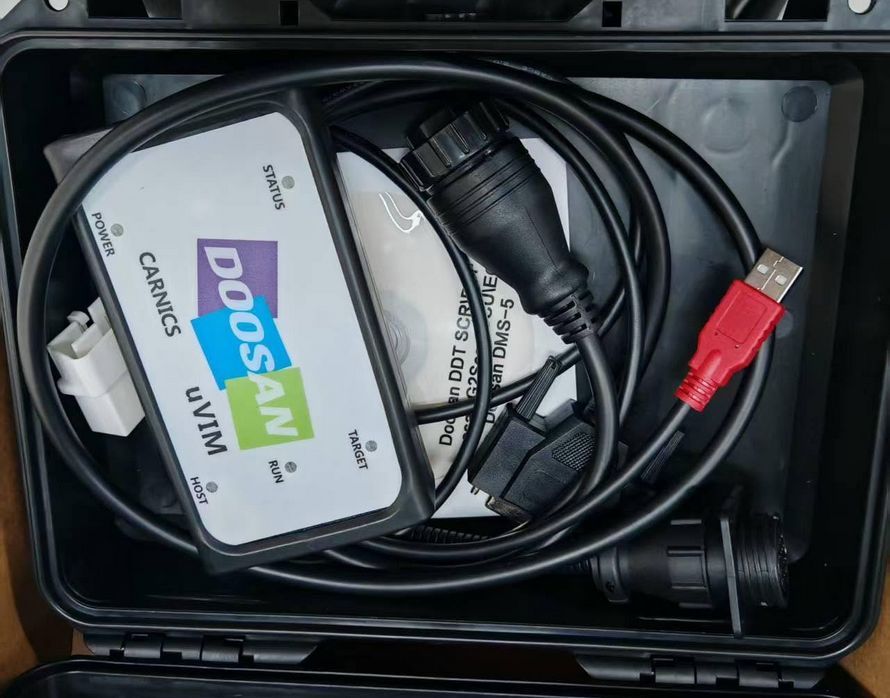
The Doosan Excavator Inspection Diagnostic Tool is designed for technicians working with supported Doosan electronic diesel-engine and machine-control systems.
The product page lists support for diagnostic environments including:
- Doosan DDT SCR
- Doosan DDT DPF
- Doosan G2 Scan DCU
- Doosan G2 Scan ECU
- Doosan DMS-5
Supported functions listed for the tool include fault-code diagnosis, service-data monitoring, freeze-frame data, engine routine tests, component on/off tests, ECU information and selected ECU reflashing/coding functions. It is aimed at supported Tier 3/Tier 4 excavators, loaders, forklifts and related Doosan equipment.
Best suited to: technicians who need a Doosan-specific hardware interface for machine and engine diagnostics.
Important: This product page currently lists an older DMS-5 software package than V3.3.1. If you need the latest DMS 5 V3.3.1 2026.08, confirm the software option and compatibility before ordering.
Doosan uVIM Diagnostic Tool with DMS 5 V3.3.1
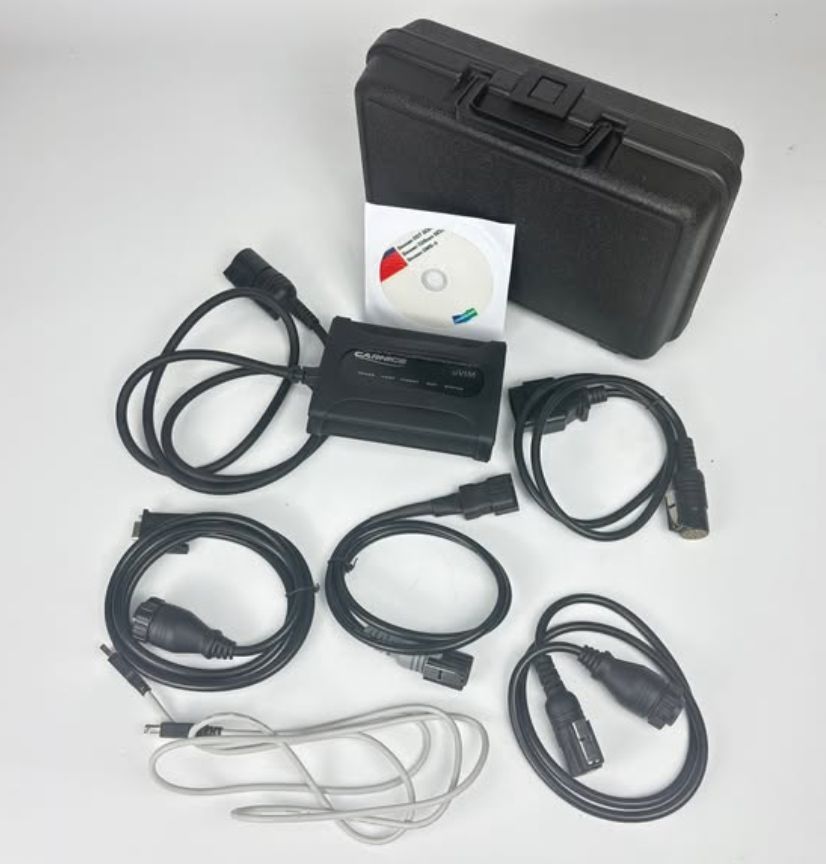
For technicians who want the diagnostic interface together with the current software environment, the Doosan uVIM Diagnostic Tool with DMS-5 Software is the more direct option.
The current product configuration includes an option for DMS-5 V3.3.1 2026.08, with remote installation on one computer. The product page also lists Doosan DDT SCR, DDT DPF, G2 Scan DCU, G2 Scan ECU and DMS-5 support.
Listed diagnostic functions include:
- Engine fault codes and descriptions
- Service-data monitoring
- Sensor-parameter display
- Freeze-frame data
- Engine routine tests
- Component on/off tests
- ECU information
- ECU map reflashing
- EOL fuel-variant coding
An optional Lenovo T450 laptop with DMS-5 V3.3.1 is also listed for users who prefer a prepared PC-based package.
Best suited to: Doosan/DEVELON technicians who need both the uVIM communication hardware and the current DMS 5 software package.
Before ordering, confirm:
Machine Model → Year → Engine → Controller → Diagnostic Connector → Required Function → Windows PC
Need the Interface as Well as DMS 5 Software?
If you already have compatible Doosan communication hardware, the standalone DMS 5 V3.3.1 software may be sufficient.
If you still need the vehicle/machine communication interface, compare:
- Doosan Excavator Inspection Diagnostic Tool — hardware-oriented diagnostic solution for supported Doosan machines.
- Doosan uVIM Diagnostic Tool with DMS-5 V3.3.1 — suitable when you need the uVIM interface together with the current 2026.08 DMS-5 software option.
Before purchasing, send the machine model, year, engine/controller information and required diagnostic function so the correct interface and software combination can be confirmed.