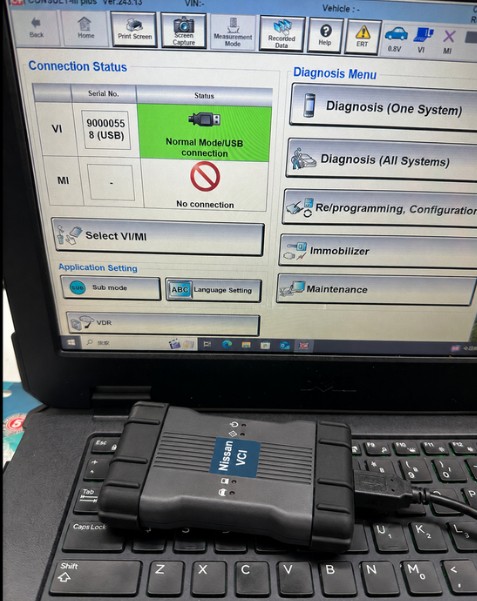
Is your antivirus software blocking your Nissan Vehicle Communication Interface (VCI) setup? Are you facing a “Virus Detected” warning or an “Unable to Locate VCI” error inside VCI Manager?
This comprehensive troubleshooting guide breaks down why security suites flag OEM and J2534 diagnostic tools, how to manage false positives safely, and the exact step-by-step workflow to get your Nissan Consult software recognizing your hardware.
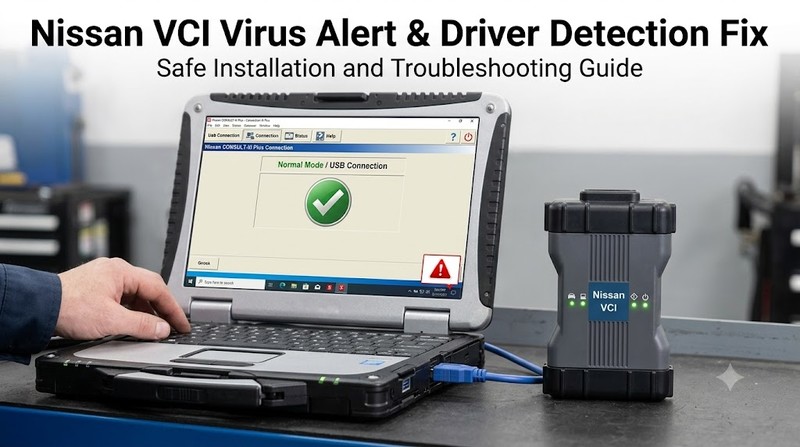
Quick Answer / Key Takeaways
-
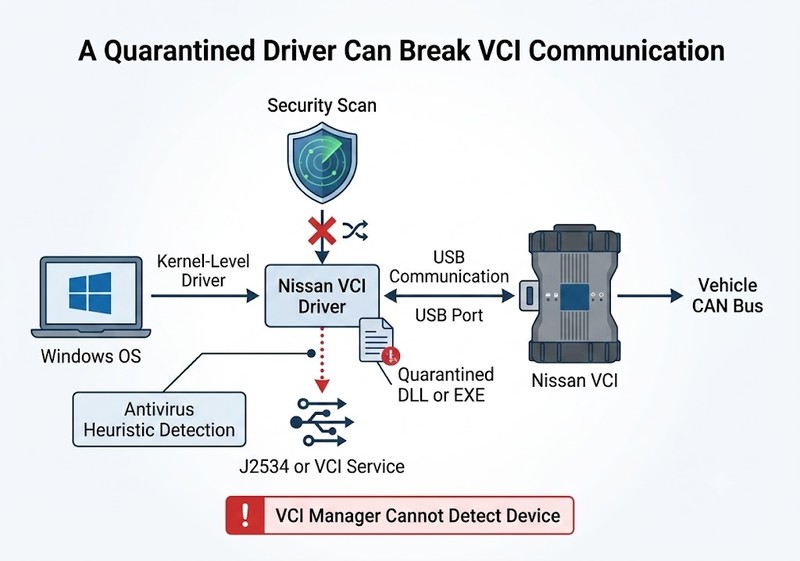
Root Cause: Nissan VCI and J2534 drivers require kernel-level privileges to translate Windows USB commands into CAN bus protocols. Antivirus suites (Windows Defender, Bitdefender, Norton) heuristically flag these low-level
.dlland.exeroutines as false positives. -
Primary Symptom: When security software silently quarantines these operational files, the VCI Manager app launches normally but displays “No VCI Found” because the driver layer is broken.
-
The Solution: Perform a complete uninstall of incomplete drivers, create an antivirus directory exclusion for
C:\Program Files (x86)\Nissan VCI(or your specific install directory), run the installer with elevated administrator rights, and re-enable security.
Technical Deep-Dive: Why Antivirus Flags Nissan VCI Drivers
Automotive diagnostic software differs significantly from standard desktop applications. To perform ECU flashing, DTC clearing, and real-time parameter monitoring on Nissan and Infiniti vehicles, the software must communicate directly with the vehicle’s Controller Area Network (CAN) via pass-thru protocols.
[Windows OS] ──> [Kernel-Level Driver (.dll/.exe)] ──> [USB Port] ──> [Nissan VCI] ──> [Vehicle CAN Bus]
                        │
                        └── (Flagged as False Positive by Security Heuristics)
-
Kernel-Level Access: Drivers need direct hardware access to prevent latency during high-speed ECU communications.
-
Heuristic Detection: Modern antivirus programs look for unverified driver signatures or deep system hooks. When detected, they quarantine key library files instantly.
-
Quarantine Cascade: Missing dynamic-link libraries (DLLs) prevent Windows Device Manager from binding the virtual COM/USB port to the hardware interface.
Step-by-Step VCI Driver Installation & Bypass Guide
Follow this verified installation process to prevent file corruption and establish a stable VCI-to-PC connection.
Step 1: Clean Up Previous Installation Attempts
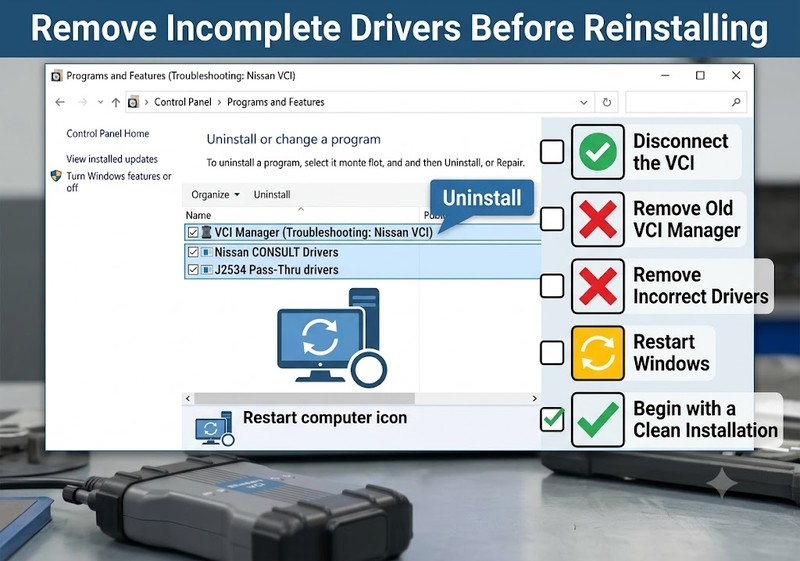
Incomplete or corrupted driver remnants will conflict with fresh installations.
-
Disconnect the Nissan VCI tool from your PC’s USB port.
-
Navigate to Control Panel > Programs and Features.
-
Uninstall all instances of
VCI Manager,Nissan Consult Drivers, or genericJ2534 Pass-Thrupackages. -
Restart your computer.
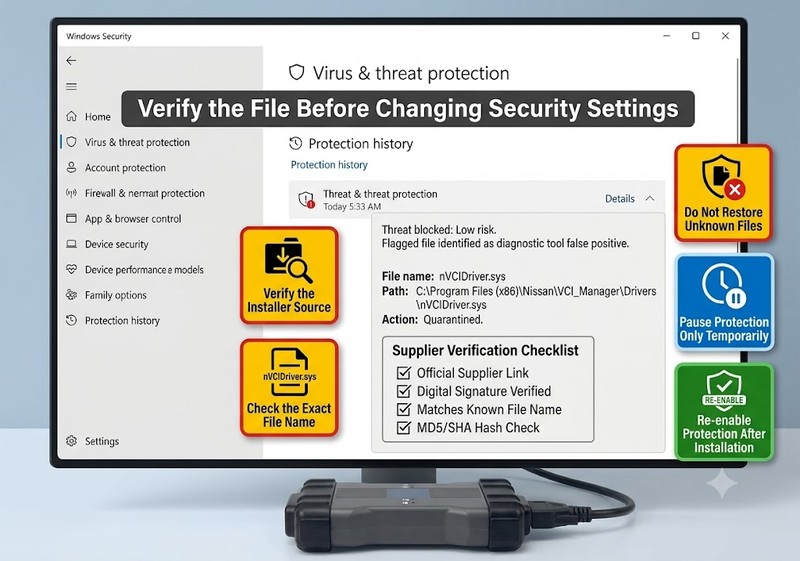
Step 2: Temporarily Adjust Security Settings
Safety Note: Only pause security protections when installing software from trusted, verified suppliers.
-
Windows Security: Open Settings > Privacy & Security > Windows Security > Virus & threat protection. Under Virus & threat protection settings, select Manage settings and toggle Real-time protection to Off.
-
Third-Party Antivirus (McAfee, Norton, Avast): Right-click the application tray icon in the taskbar and select Pause Protection or Disable for 15 minutes.
Step 3: Download & Install Drivers with Elevated Privileges
-
Download the verified software and driver package directly for your hardware:
-
Product Link: Nissan VCI WiFi OBD2 Diagnostic Tool
-
-
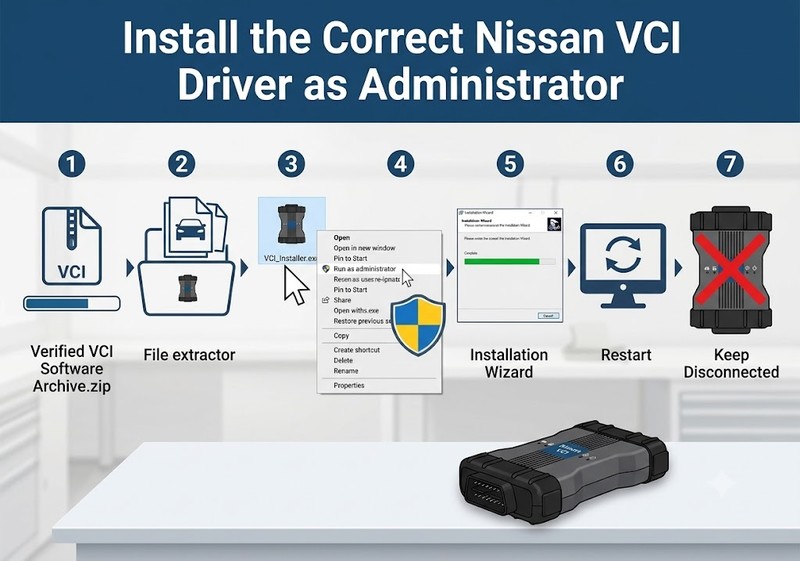
Locate the downloaded setup executable (
.exe), right-click the file, and select Run as Administrator. -
Complete the setup wizard. Do not plug in the VCI hardware until the wizard fully closes.
Step 4: Hardware Binding & Verification
-
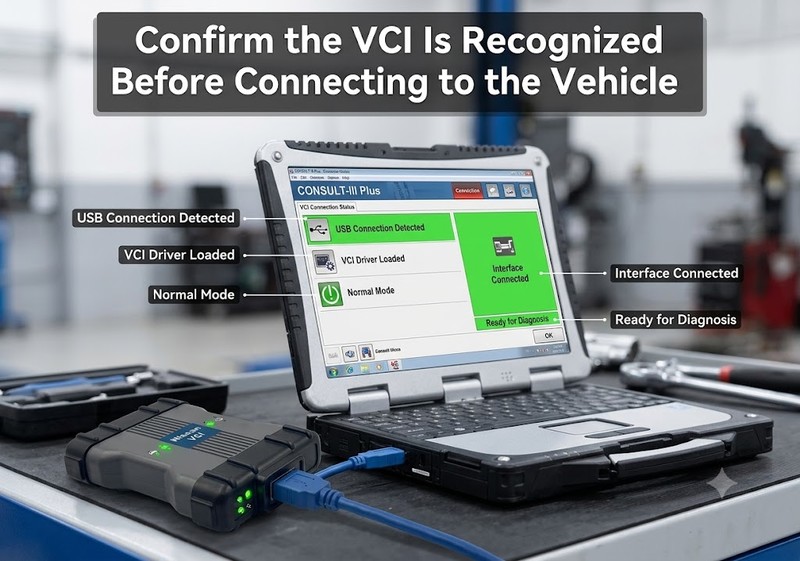
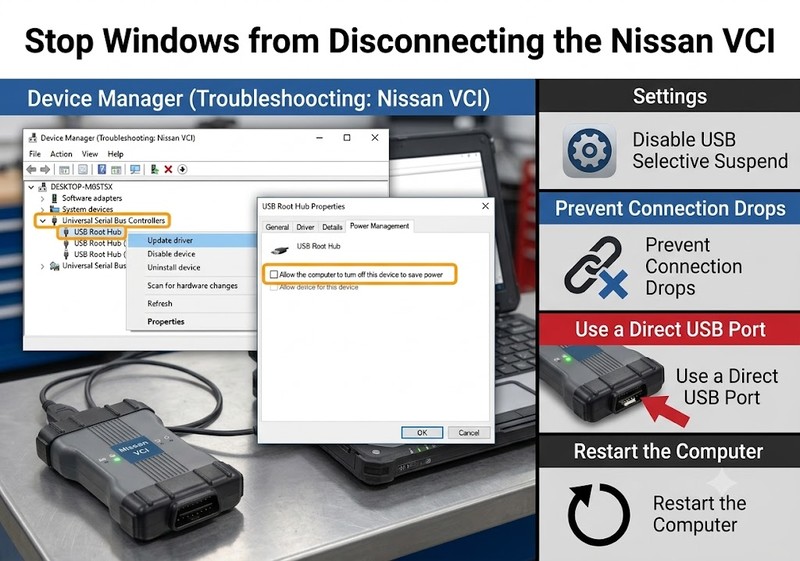
Connect the Nissan VCI interface directly to a USB port on your PC (avoid unpowered USB hubs) or establish the Wi-Fi connection.
-
Plug the 16-pin OBD-II connector into the vehicle’s diagnostic port under the dash (or a 12V bench power supply) to ensure the unit receives power.
-
Launch VCI Manager.
-
The software will scan active ports; the connection indicator should change to Connected or show an active green status light.
Step 5: Configure Folder Exclusions & Restore Security
To prevent future Windows update scans from stripping your diagnostic files:
-
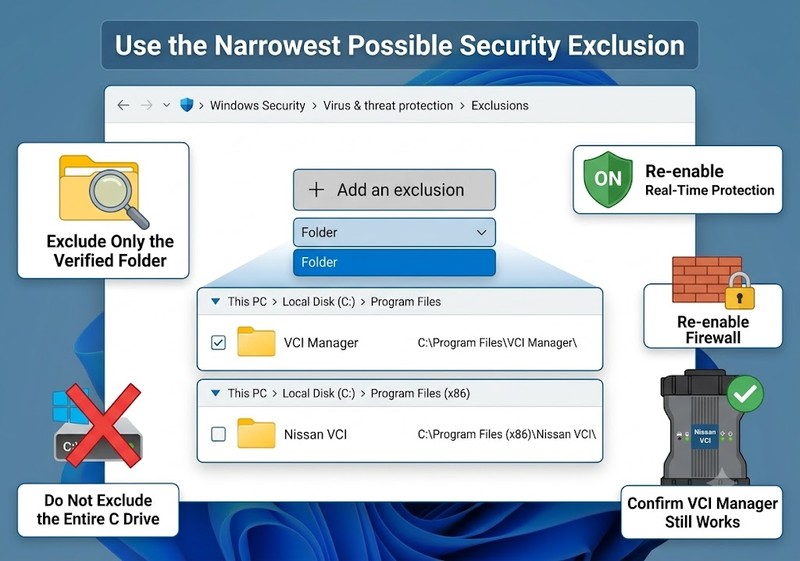
Re-open your antivirus settings and find Exclusions (or Allowed Threats).
-
Add the complete folder path to the exclusion list:
-
Typical Path:
C:\Program Files\VCI Manager\orC:\Program Files (x86)\Nissan VCI\
-
-
Turn Real-Time Protection and your Firewall back On.
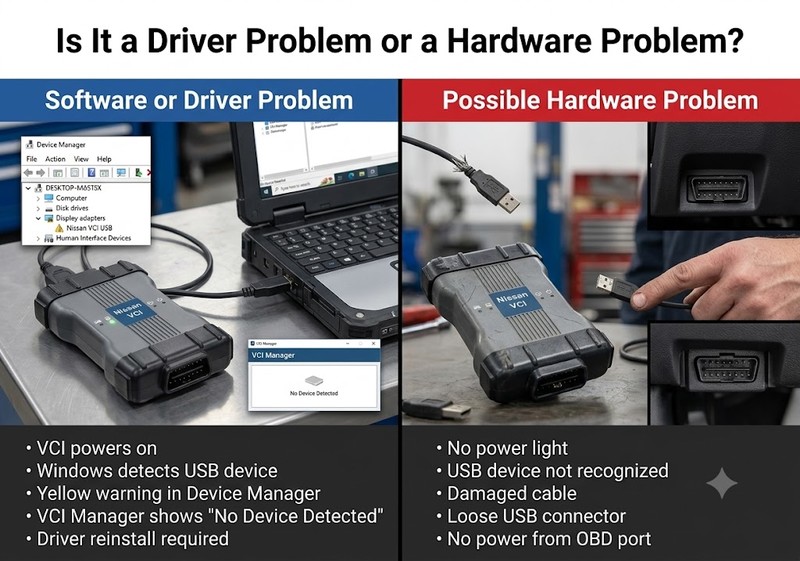
Diagnostic Matrix: Hardware vs. Software Faults
If your VCI Manager still fails to register the interface after following the clean setup, consult this diagnostic matrix to isolate physical vs. logical faults:
| Symptom | Probable Cause | Corrective Action |
| “No Device Detected” in VCI Manager | Quarantined driver files or missing DLLs | Check Windows Device Manager under Ports (COM & LPT) or USB Controllers. Reinstall drivers with Defender paused. |
| Windows “USB Device Not Recognized” | Faulty USB cable or low port voltage | Swap to a native USB 2.0/3.0 port directly on the motherboard; replace the USB A-to-B cable. |
| VCI LED Lights Off Completely | No power from OBD-II DLC port | Verify vehicle battery voltage is above 12.2V; check DLC port fuse (usually labeled DIAG or OBD). |
| Connection Drops Mid-Diagnosis | Windows USB Selective Suspend enabled | Go to Device Manager > USB Controllers > Properties > Power Management and uncheck “Allow the computer to turn off this device to save power.” |
Conclusion
A Nissan VCI virus warning or detection failure is often caused by an incorrect driver, quarantined files, an incomplete installation, or USB communication issues.
The recommended process is:
- Verify the software source.
- Remove previous installations.
- Install the correct driver as administrator.
- Connect the VCI directly by USB.
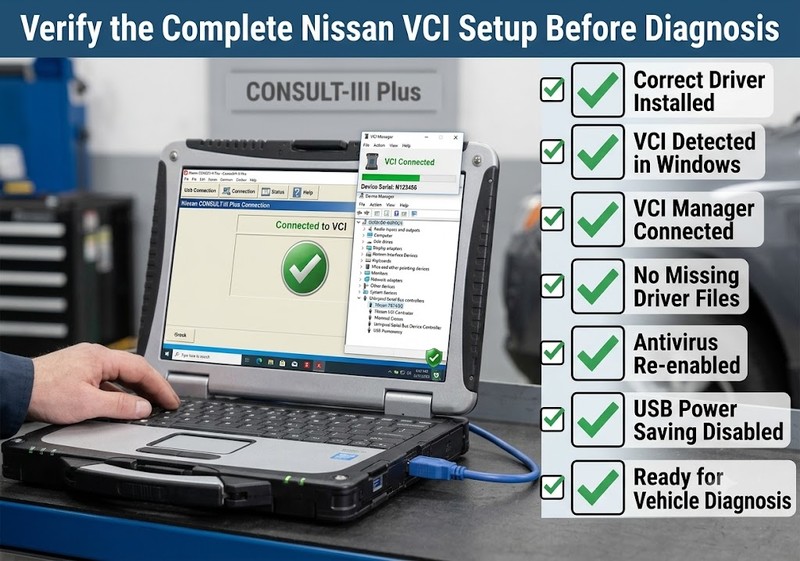
- Check Device Manager and VCI Manager.
- Re-enable all security protections.
- Contact the supplier if the problem continues.
Frequently Asked Questions (FAQ)
Is it safe to disable Windows Defender for diagnostic tools?
Yes, as long as you are using verified diagnostic packages provided by your supplier. Disabling protection temporarily allows Windows to write low-level driver files to the system directory without premature quarantine.
Why does my VCI tool work on one laptop but not another?
Differences in OS architecture (x86 vs x64), Windows Driver Signature Enforcement settings, or active third-party security software (like corporate endpoint security) can cause varying behavior between machines.
What should I do if Windows blocks unsigned drivers?
If Windows displays a “Driver Digital Signature Required” error, you may need to temporarily boot into Advanced Startup Options and select Disable Driver Signature Enforcement during the initial driver binding process.
Disclaimer: Vehicle diagnostics and module programming should be conducted by qualified technicians in compliance with local automotive regulations. Always ensure your PC is connected to a stable power supply during diagnostic sessions.