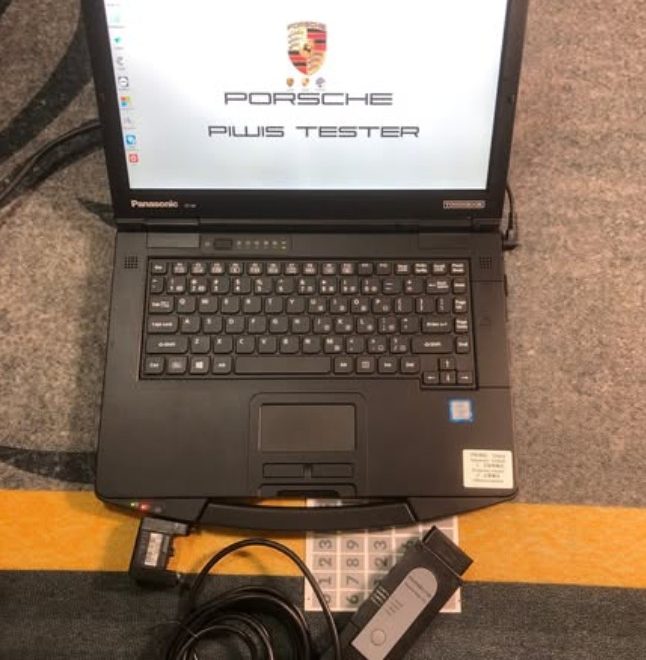
Deploying the Porsche PIWIS 4 PT4G VCI diagnostic system with a V43.7 + V42.95 dual-version SSD requires exact hardware configuration, primary drive swap steps, and machine-bound license authorization.
For workshops seeking a fully pre-configured, plug-and-play package, you can explore the official PIWIS 4 PT4G Diagnostic Tool Kit with Panasonic CF54 Laptop.
PIWIS 4 SSD System Architecture & OS Environment
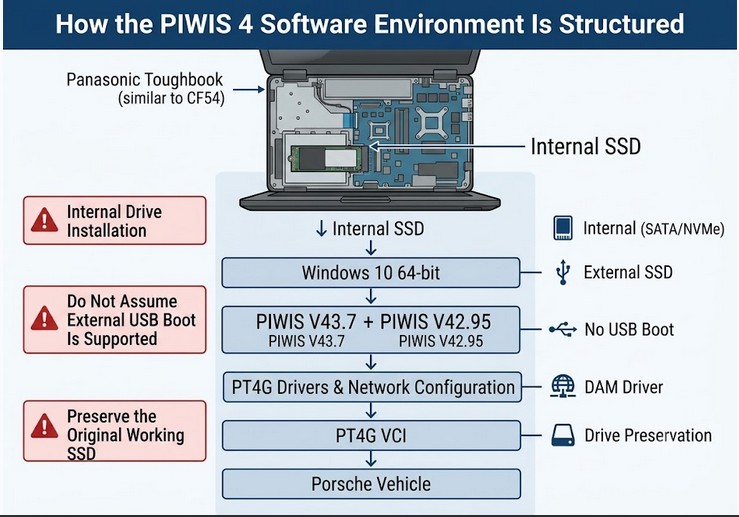
The PIWIS 4 diagnostic solid-state drive comes fully flashed with a customized Windows operating system containing integrated Porsche diagnostic frameworks, device drivers, and offline wiring schematics.
-
Native Windows OS: Operating system, device drivers, and PIWIS V43.7 / V42.95 software are pre-installed. Manual Windows setup or registry edits are not required.
-
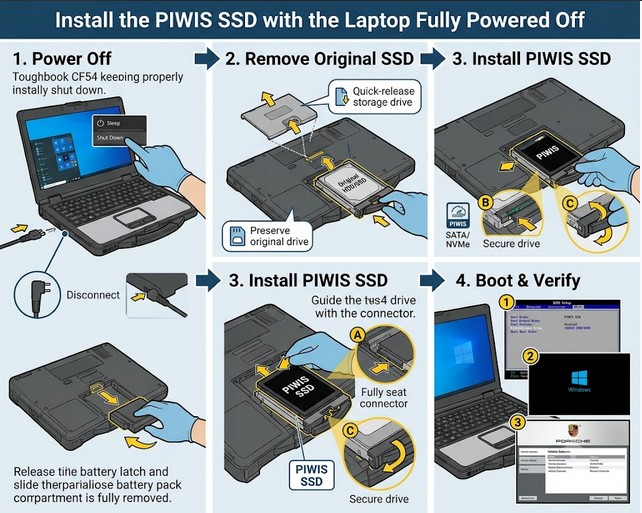
Master Drive Slot Enforcement: The drive must be installed directly into your laptop’s primary internal SATA or NVMe slot. Execution via external USB enclosures or external adapters is blocked.
-
Anti-Cloning Encryption: Software partition mirroring, local disk cloning, and Virtual Machine (VM) deployments are locked via hardware-level anti-piracy protection.
-
Compatible Hardware Platforms: Panasonic Toughbook (CF-D3, CF-54) or Lenovo ThinkPad T-Series (T470, T480, T490).
Step-by-Step Primary Drive Installation
Dual-Version Software Capabilities (V43.7 + V42.95)
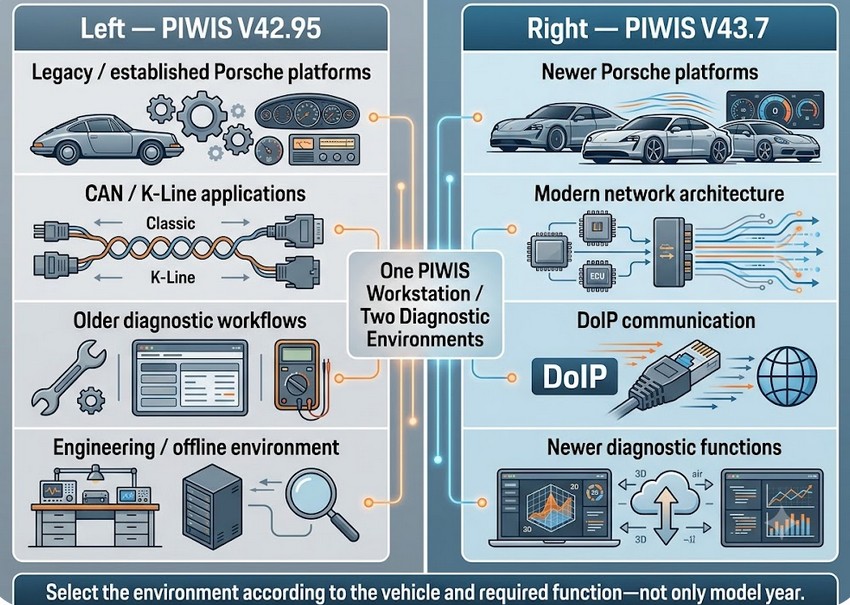
Combining stable release V42.95 and modern V43.7 on a single SSD ensures full coverage across both established CAN/K-Line models and modern Ethernet (DoIP) network architectures:
| System Attribute | Legacy/Stable Mode (PIWIS V42.95) | Modern Mode (PIWIS V43.7) |
| Vehicle Generation | Legacy & mid-gen models (911/991, Cayenne 92A, Panamera 970, Macan) | Modern DoIP & CAN-FD models (911/992, Taycan, Cayenne 9YA, Panamera 971) |
| Diagnostic Mode | Engineering Mode (E-Mode) & Offline Developer Access | Latest Guided Fault Finding (GFF) & Online Flash Protocols |
| Hardware Link | K-Line & Standard CAN Bus Protocols | High-Speed DoIP via PT4G VCI Interface |
Software Activation Matrix & Order Models
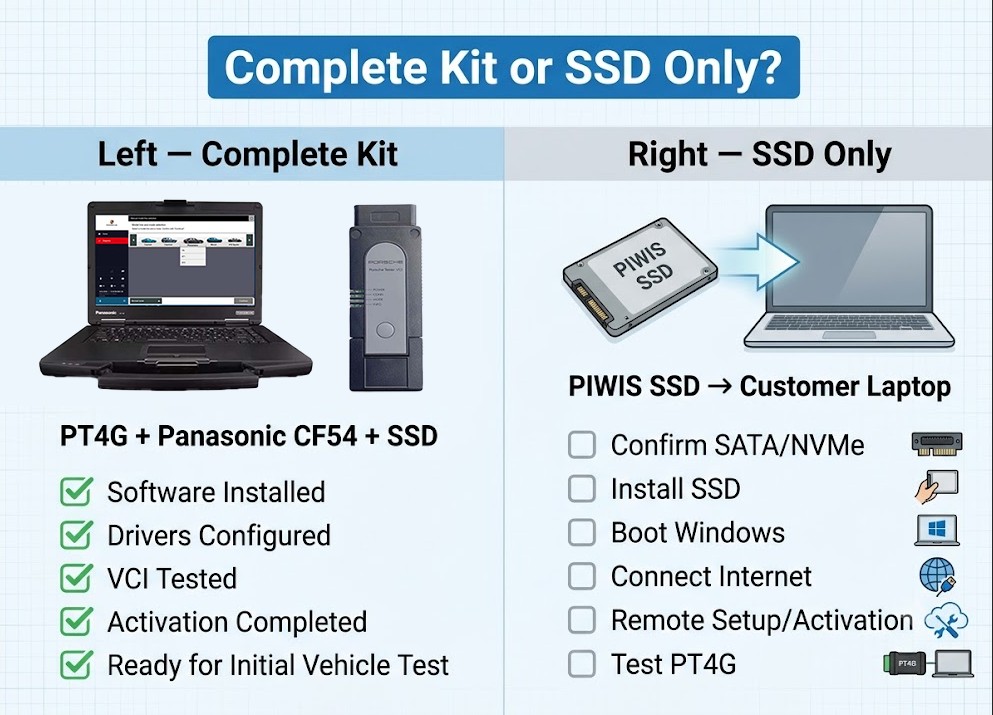
Porsche Full Diagnostic Kit (VCI + Laptop + SSD)
-
Pre-Shipping Status: Fully installed, bound, and activated prior to dispatch.
-
Post-Delivery Status: Plug-and-play. Immediate vehicle testing capability upon arrival without remote configuration. You can review full package options directly via the PIWIS 4 Diagnostic Tool plus Panasonic CF54 Bundle.
Standalone SSD (Software Drive Only)
-
Pre-Shipping Status: OS and software pre-loaded; hardware signature unlinked.
-
Post-Delivery Status: Requires a one-time remote binding session via TeamViewer or WhatsApp. Support engineers link the factory license matrix to your laptop’s unique motherboard ID and CPU serial number to unlock offline coding, adaptation routines, and wiring diagrams.