If you own or manage a fleet of Bobcat skid steers, excavators, or track loaders, you know that downtime is the enemy of profit. While a wrench can fix a leaking hose, you need digital brains to fix modern hydraulic and engine issues.
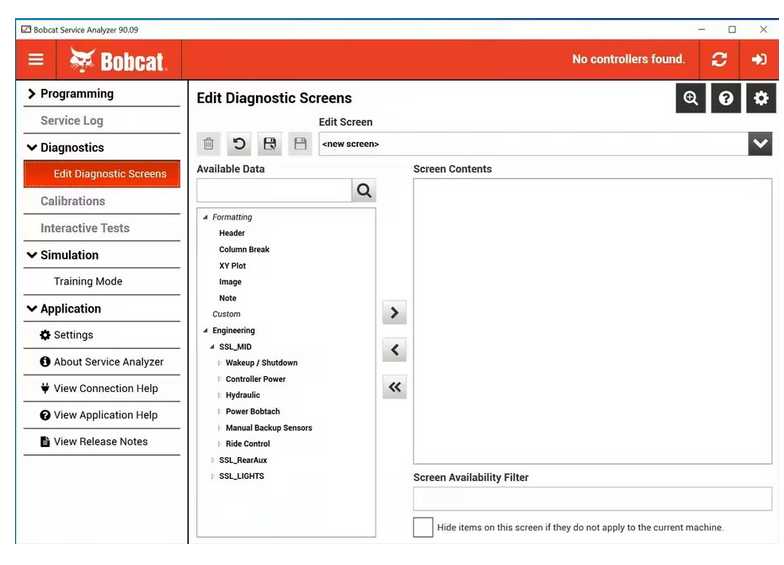
Enter the Bobcat Service Analyzer—the “secret weapon” used by dealer technicians to talk to your machine’s Electronic Control Modules (ECMs). Here’s a breakdown of what this software does and how you can actually use it to keep your fleet moving.
What Exactly Can the Bobcat Service Analyzer Do?
Think of this software as a high-tech translator. Bobcat machines are packed with sensors that monitor everything from hydraulic pressure to seat bar position. The Service Analyzer allows you to:
- Read and Clear “Ghost” Codes:Sometimes a machine goes into “limp mode” for a sensor glitch that isn’t actually a mechanical failure. This tool tells you exactly which sensor is complaining and lets you reset the system.
- Live Data Streaming:You can watch engine RPM, fuel rail pressure, and hydraulic temperatures in real-time while the machine is working. This is critical for catching intermittent problems that don’t happen when the machine is idling.
- Calibrate Critical Components:If you replace a drive pump, a joystick, or a steering actuator, the machine won’t recognize it automatically. You must use the Service Analyzer to “teach” the ECM the new parts’ travel limits and neutral positions.
- Software Updates:Just like your smartphone, Bobcat ECMs get firmware updates that improve fuel efficiency or fix known bugs. This tool is the only way to flash that new software onto the machine.
How to Use the Bobcat Service Analyzer Software
Using the software isn’t just about clicking “Scan.” It requires a specific workflow to ensure you don’t accidentally “brick” a controller.
- The Connection (Hardware)
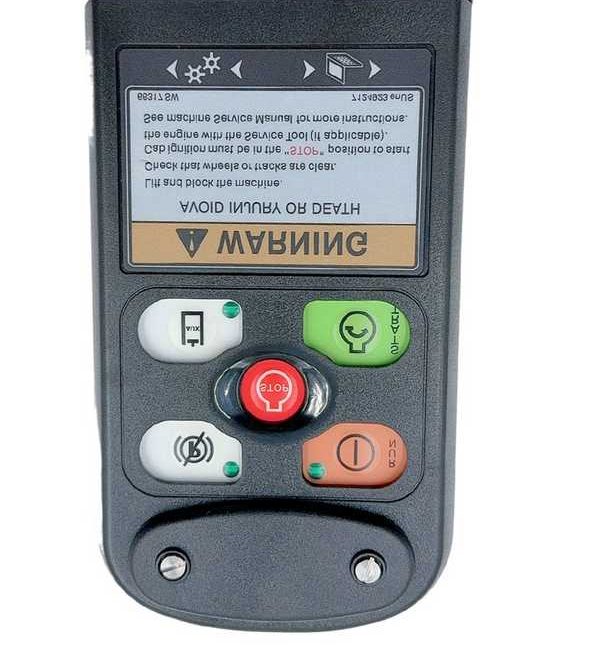
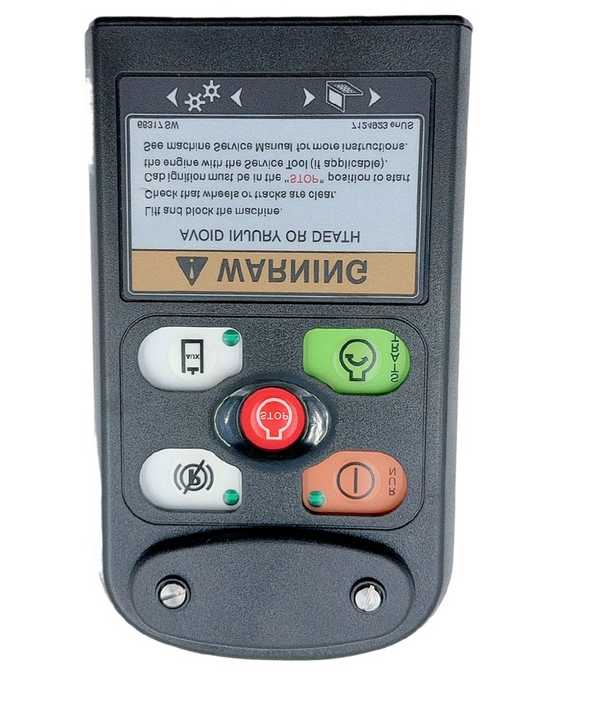
You can’t just use a standard USB cable. You need a Remote Start Tool
- Plug the 7-pin or 9-pin diagnostic cable into the machine’s service port (usually located behind the cab or near the fuse panel).
- Connect the USB end to your laptop (Windows 10/11 is recommended).
- Powering Up
Turn the machine’s ignition to the “ON” position, but do not start the engine yet. Open the Service Analyzer software on your laptop. The software should auto-detect the machine’s Serial Number and Model.
- The Diagnostic Scan
Navigate to the “Faults” tab. This will show you:
- Active Codes:Problems happening right now.
- Stored Codes:Problems that happened in the past (great for seeing if an operator was overheating the engine last week).
- Monitoring and Testing
If you suspect a hydraulic issue, go to the “Monitor” screen. You can select specific sensors to view as a graph. If you see “spikes” or “drops” in pressure that don’t match the operator’s movements, you’ve found your culprit.
- Performing a Calibration
If the machine is “tracking” to one side, go to the “Service/Calibration” menu. Follow the on-screen prompts exactly—it will usually ask you to move the joysticks to their full extent or hold the engine at a specific RPM while the software syncs the hardware.
Below are the most common
Bobcat fault codes you’ll encounter using the Service Analyzer, along with what they typically mean for your machine’s health:
Common Bobcat Fault Code Meanings
| Code | Component/System | What It Means |
| D7535 | Engine Speed Sensor | No signal from the crank sensor. The machine may crank but not start, or stall randomly. |
| M0116 | Seat Bar Sensor | The sensor doesn’t see the bar as “down.” Usually a failed magnetic switch or a broken wire in the hinge. |
| H3916 | Hydraulic Oil Temp | Temperature is too high. This often triggers “Limp Mode” to protect the pumps. Check for a clogged cooler. |
| E0017 | Engine Oil Pressure | Extremely low pressure detected. The machine will often shut down automatically to prevent engine seizure. |
| W3217 | Fuel Level Sensor | Open circuit or short to ground. Usually indicates a rodent chewed the wires near the top of the fuel tank. |
| L0516 | Lift Tilt Controller | Communication error with the ACS (Advanced Control System) or SJC (Selectable Joystick Control) module. |
| 08-11 | Air Filter Restricted | The air pressure sensor sees a vacuum. Usually means the primary filter is filthy and needs immediate replacement. |
The Three “Status” Levels
When reading these in the Service Analyzer, pay attention to the prefix letter:
- A (Active):The problem is happening right now. You cannot clear this code until the physical part is fixed.
- H (Historical):The problem happened in the past but isn’t happening now. Great for “intermittent” issues like a loose ground wire.
- S (Stored):These are often “shadow codes” that don’t trigger a light on the dash but help a mechanic see long-term patterns.
How to Use This Information
- Don’t Just Replace Parts:If you see “Voltage High” or “Open Circuit,” it’s usually a broken wire or a bad plug, not a dead sensor.
- Use the “Snapshot”:The Service Analyzer can show you exactly what the machine was doing (RPM, Temp, Load) the second the code tripped.
- Check the Ground:Bobcat machines are notorious for “phantom” codes caused by a
loose main battery ground. If you see 5+ different codes at once, check your battery cables first!