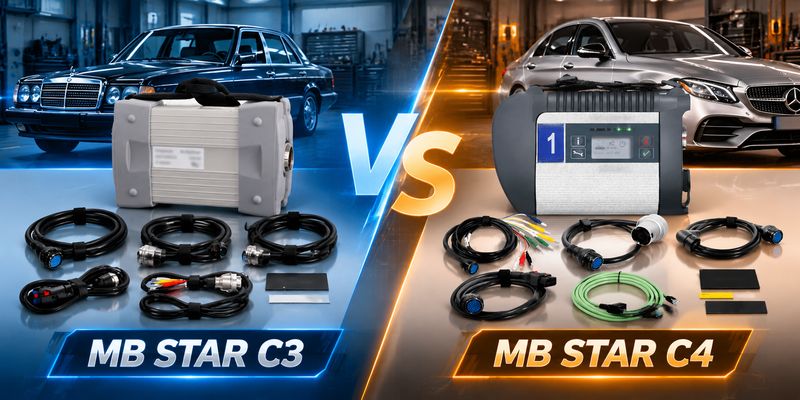
What is the difference between MB STAR C3 and MB STAR C4?
This guide compares connection methods, protocol support, vehicle coverage, and use cases to help you choose the right Mercedes diagnostic tool.
The Core Question When Choosing a Mercedes Diagnostic Tool
For independent repair shops and Mercedes-Benz owners, choosing the right diagnostic tools is critical.
The MB STAR series are the most popular Mercedes diagnostic solutions on the market, but many people hesitate between the C3 and C4. They look similar, but the actual differences directly affect your work efficiency and vehicle coverage. This article provides a clear buying guide by comparing technical specifications, functional features, and real-world use scenarios.
Technical Features
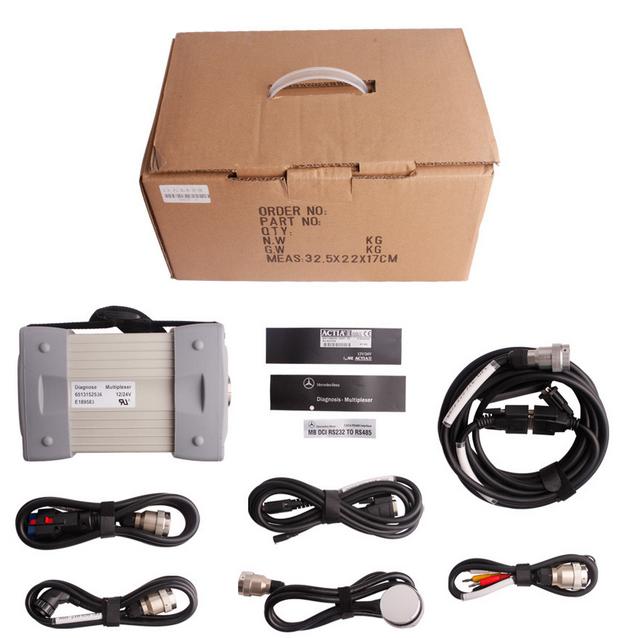
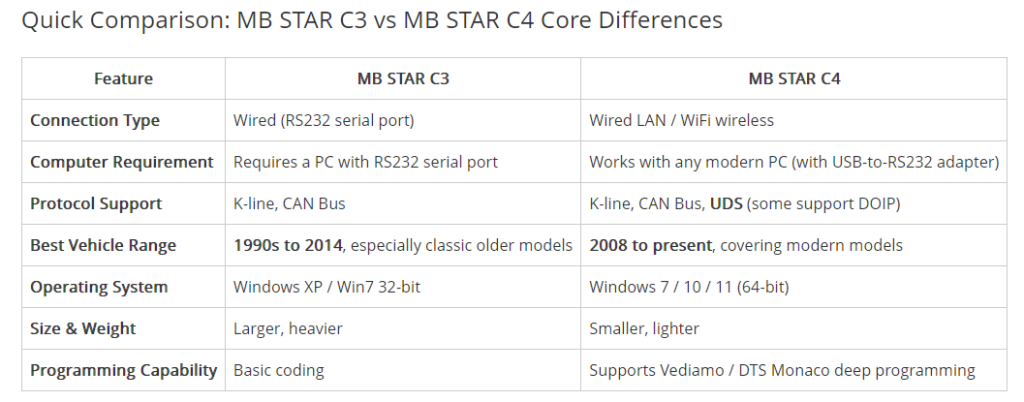
MB STAR C3 is a classic diagnostic interface in the MB STAR series, designed primarily for Mercedes-Benz vehicles using K-line and early CAN Bus communication. It provides the core functions associated with the original BENZ Star2000, including fault code reading and clearing, real-time data monitoring from sensors and actuators, component testing, and basic coding and programming functions.
Vehicle Coverage
The MB STAR C3 is listed as supporting a broad range of Mercedes-Benz vehicles, from 1989 through newer model years, depending on the vehicle, diagnostic system, and software configuration. The coverage includes passenger cars, vans, trucks, buses, and Smart models.
Passenger Cars:
A-Class, B-Class, C-Class, E-Class, S-Class, CLK, CLS, CL, SLK, SL, M-Class, G-Class, GL, GLK, R-Class, and more.
Vans:
Sprinter, Vito, Viano, Citan, and more.
Trucks & Buses:
Actros, Atego, Axor, Travego, Citaro, and more.
Smart Models:
450, 451, 452, and 454.
Note: Actual compatibility can vary by model year, chassis, control unit, software version, and communication protocol. Always confirm compatibility with the specific Mercedes-Benz vehicle before purchasing or performing diagnostic work.
Core Advantages
The biggest advantage of C3 is its perfect compatibility with classic older modlels. If you mainly diagnose models from the 1990s to early 2000s such as W124,W140,W201,and W202,C3 running native COM ports on Windows XP/7 32-bit systems provides extremely stable communication while newer tools often experience communication interruptions on these older vehicles
Main Limitations
The biggest pain point of C3 is that it requires a computer with an RS232 serial poort. Modern laptops almost never come with this interface.
Although USB-to-RS232 adapters can be used, they frequently fail or cause unstable communication. Addlitionally, C3 does not support the UDS protocol, so it cannot efficiently handle the high-speed Ethernet architecture of newer models.
MB STAR C4: The Mainstream Choice for Modern Repairs
Technical Features
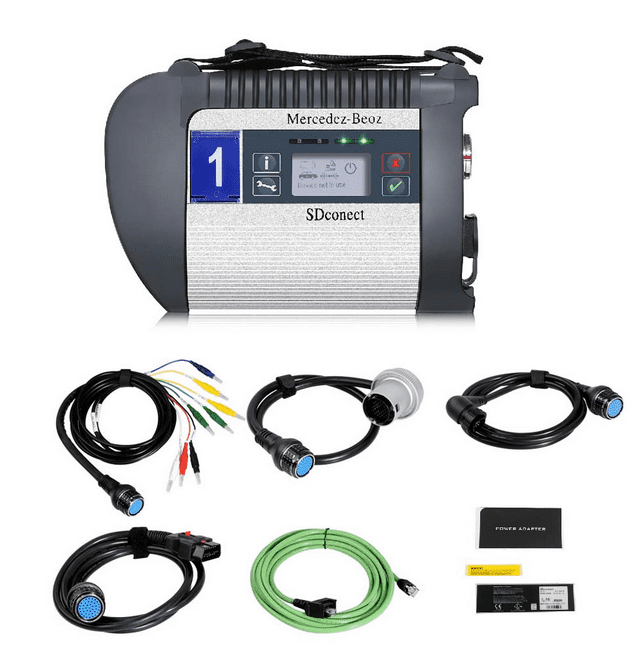
MB STAR C4 (SD Connect Compact 4) is the official replacement for C3, introducing WiFi wireless connectivity and Ethernet communication capabilities. It supports K-line, CAN Bus, and the UDS diagnostic protocol, and some improved versions also support DOIP (Diagnostics over Internet Protocol).
Vehicle Coverage
C4 is primarily optimized for Mercedes models from 2000 onward, while remaining backward compatible with most older models. Its supported passenger car list is essentially the same as C3, but its communication speed and stability on newer models are significantly better.
Core Advantages
The greatest value of C4 for independent repair shops is its deep programming capability. It widely supports engineering-level software such as Vediamo 5.01.01 and DTS Monaco 8.x, allowing low-level offline ECU flashing, variant coding, and parameter tuning without relying on Mercedes official online tokens.
Wireless connectivity is another highlight. C4 communicates with the computer via WiFi, with no physical serial port required, so it can run on any modern laptop.
Main Limitations
Key Decision Factors: Which One Should You Choose?
Choose MB STAR C3 If:
- Your workshop mainly services classic Mercedes-Benz models from the 1990s to the early 2000s, such as the W124, W140, W202, and W210.
- You need to work with the HHT-WIN software environment for older Mercedes-Benz vehicles.
- You have, or are willing to use, an older laptop with a native RS232 serial port, such as a Dell D630.
- You are looking for a cost-effective diagnostic solution for older Mercedes-Benz vehicles.
Choose MB STAR C4 If:
- You need to diagnose newer Mercedes-Benz models, particularly vehicles from around 2008 onward.
- You want to use a modern laptop without the limitations of a native RS232 serial port.
- You need more advanced ECU coding and programming capabilities, including workflows involving Vediamo or DTS Monaco.
- You prefer the convenience of wireless connectivity between the diagnostic interface and laptop.
- You want a more versatile diagnostic solution for a wider range of Mercedes-Benz vehicles.
Frequently Asked Questions (FAQ)
Can MB STAR C4 completely replace C3?
Not completely. Although the C4 can cover most of the vehicle models supported by the C3, some very early Mercedes-Benz models—particularly those requiring HHT-WIN—may work more reliably with the C3 because of its native RS232 serial communication.
Is C4’s WiFi connection stable?
The MB STAR C4’s Wi-Fi connection is generally reliable when properly configured. Initial setup may require a password, and subsequent connections can be automatic if the network settings are saved. However, in workshops with strong wireless interference, a wired LAN connection is recommended for greater stability, especially during ECU coding and programming.
Is there a big price difference between MB STAR C3 and C4?
C4 is usually more expensive than C3, mainly due to its more advanced technical architecture and wireless functionality. But for users who need to diagnose modern models, the extra investment in C4 is worth it.
Conclusion
MB STAR C3 and C4 each have clear positioning:
C3 is the reliable guardian of classic models, while C4 is the efficient tool for modern repairs.
Understanding the differences in connection methods, protocol support and programming capabilities will help you make the optimal choice based on your actual repair needs.